How to Track Your Expenses: 5 Methods Ranked by Effort
Every method on this page works. Most people still quit by week three. The difference is picking the one that matches how you actually spend.
By Ahmad Jamal · Published January 21, 2026 · 9 min read
Quick Answer
The best way to track expenses is a budgeting app that imports and categorizes your transactions automatically, which takes about five minutes a week once it is set up. A spreadsheet works if you want free and full control and don't mind typing each purchase in. Cash envelopes are the better fix if overspending, not tracking, is the real problem. Receipt logging and a monthly statement review round out the five methods below, ordered from least to most manual effort.
I've tried tracking my expenses at least five times over the years. Each time, I'd start strong for about two weeks, then life would happen. I'd forget to log a coffee. Then a lunch. Then a whole week. Eventually, I'd give up entirely.
The problem wasn't me. It was the method. A spreadsheet fails someone who buys lunch in a hurry; a cash envelope fails someone who shops online. Match the method to how you actually spend, and tracking stops being a chore.
Here's the short version. If most of your spending is on cards, connect your accounts to an app and let it do the logging (2 to 5 minutes a week). If you want free and full control, use a spreadsheet (10 to 20 minutes a week). If overspending on cards is the whole problem, switch to cash envelopes. The rest of this guide covers all five methods, what each really costs you in time, and the specific way each one tends to fail.
The 5 Methods Compared
The methods below are ordered from least to most weekly effort. Method 1 is the default answer for most people; the others earn their place in specific situations.
| Method | Time per week | Cost | Automation | Best for |
|---|---|---|---|---|
| Budgeting app | 2 to 5 min | Free to $15/mo | Automatic | Card spenders who hate manual work |
| Spreadsheet | 10 to 20 min | Free | Manual | Full control at zero cost |
| Cash envelopes | 5 to 10 min | Free | Manual | Overspenders who need hard limits |
| Receipt tracking | 15 to 30 min | Free | Manual | Self employed and tax records |
| Statement review | 1 to 2 hrs/month | Free | Semi automatic | Batch workers with stable spending |
Method 1: Budgeting Apps (Easiest, Most Automated)
How it works: Connect your bank accounts and credit cards to an app. Transactions import automatically. You categorize them once, and the app learns your patterns. From then on, your only job is a short weekly review.
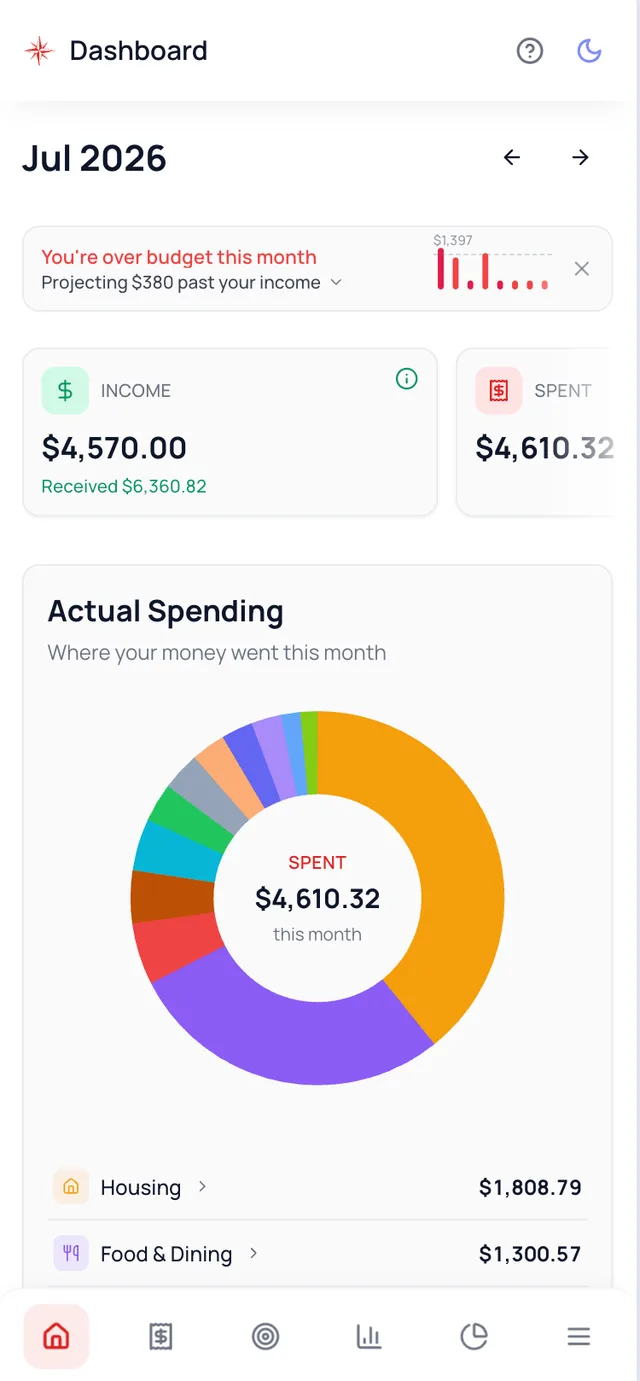
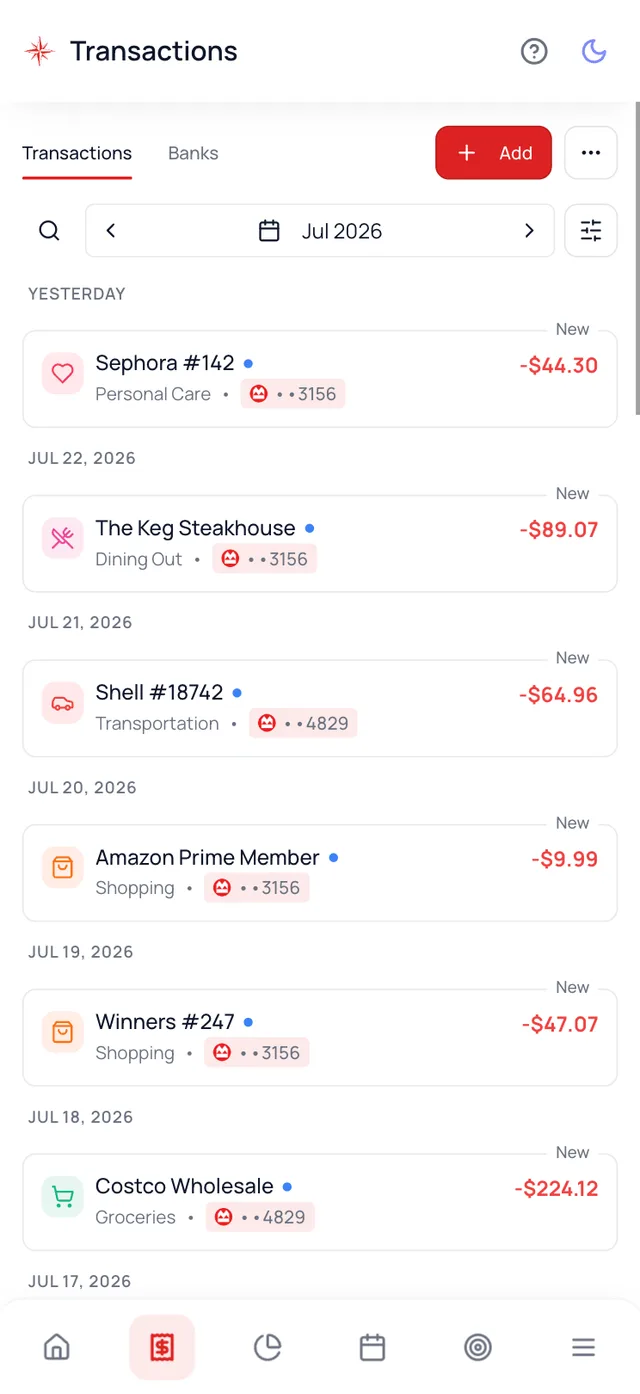
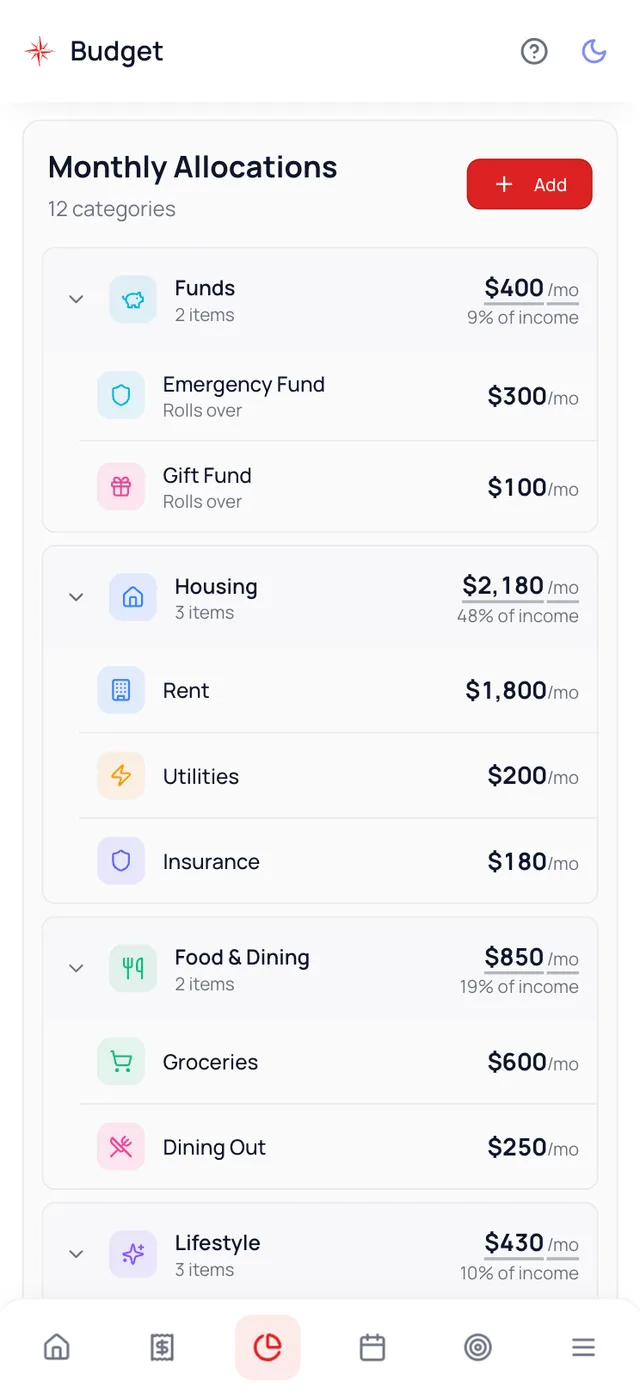
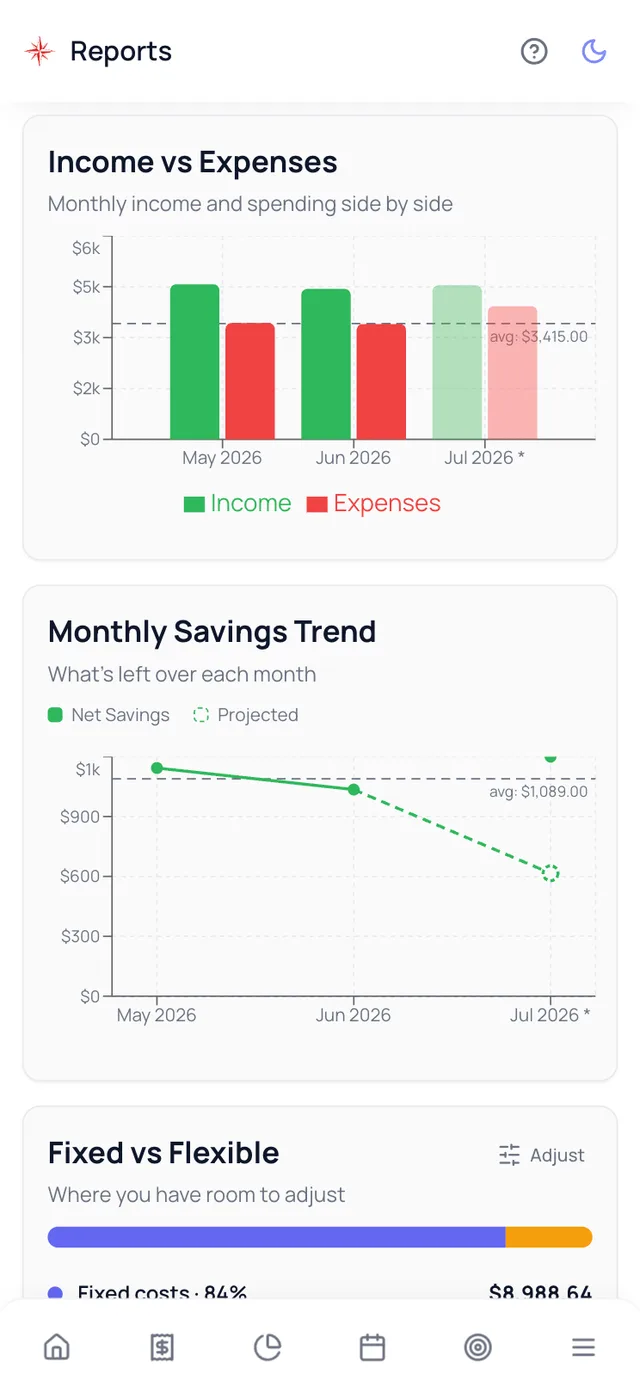
Everything in one glance
Income, spending, and what is left this month, updated as transactions arrive.
Solid apps for expense tracking:
- Waypoint Budget: automatic import and categorization from major banks across Canada and the US. It connects through both Plaid and Flinks, so if one provider does not support your bank the other usually does, while most apps rely on a single aggregator. Free tier available; bank sync from $7.99/month. See how the expense tracker works.
- YNAB (You Need A Budget): hands-on budgeting methodology, about $15 USD/month.
- Monarch Money: polished all-in-one interface, about $100 USD/year.
We compared these and four more in detail in our full budgeting app roundup.
What works
- Minimal manual work: 2 to 5 minutes per week
- Real time updates and automatic categorization
- Visual reports, charts, and multi device sync
Watch out
- Requires linking your accounts through a provider like Plaid or Flinks; some banks make you re-verify periodically
- Automatic sync usually costs $5 to $15/month
- Cash purchases still need manual entry
Why people quit this method: they set it up, then never open the app again. Automation only helps if you glance at it once a week, so anchor the review to something you already do.
Best for: people who hate manual work, put 90% of purchases on cards, and want real time visibility into spending.
Method 2: Spreadsheets (Free, Customizable)
How it works: Create a Google Sheet or Excel file with columns for Date, Category, Description, and Amount. Log each expense manually, then add formulas to total each category monthly.
| Date | Category | Description | Amount |
|---|---|---|---|
| Jul 21 | Groceries | Walmart | $87.43 |
| Jul 22 | Gas | Shell | $65.00 |
| Jul 23 | Dining Out | Starbucks | $8.50 |
What works
- Completely free, works offline
- Total customization: your categories, your formulas
- Your data stays in your own file
Watch out
- Fully manual: 10 to 20 minutes per week, forever
- No automatic import; every purchase is typed by hand
- Requires steady discipline to stay current
Why people quit this method: they fall three days behind, dread the catch-up session, and never open the file again. If you go this route, make catching up same-day non-negotiable.
Best for: people who like control, don't mind manual entry, want zero cost, and enjoy building their own systems.
Method 3: Envelope System (Cash-Based, Visual)
How it works: Withdraw cash at the start of the month and divide it into physical envelopes for each spending category, say $400 for groceries and $150 for dining out. When an envelope is empty, spending in that category stops until next month. Keep receipts in each envelope so you know exactly where it went.
Digital version: apps like Goodbudget simulate envelopes without physical cash, and Waypoint Budget's category budgets work the same way using your real account balances.
What works
- Visual by design: you watch each envelope shrink
- Hard limits are enforced automatically; empty means done
- No apps or tech required
Watch out
- Only fits variable expenses; rent doesn't go in an envelope
- Awkward for online shopping, and no card rewards
- Carrying cash has its own risks
Why people quit this method: online purchases and auto-paid bills leak around the cash system until the envelopes stop reflecting reality. Decide upfront which categories stay digital.
Best for: people who overspend with cards, need visible limits, and make mostly in-person purchases.
Method 4: Receipt Tracking (Manual, Detailed)
How it works: Keep every receipt in your wallet or a designated envelope. Every Sunday, categorize them, total them, and log the numbers in a notebook, spreadsheet, or app. Waypoint Budget's receipt scanning (free tier) or dedicated tools like Expensify can digitize them for you.
What works
- A detailed record of every purchase, cash included
- Exactly the paper trail taxes and business expenses need
Watch out
- The most time consuming method: 15 to 30 minutes weekly
- Receipts get lost and thermal paper fades
Why people quit this method: one lost wallet of receipts breaks the streak, and the shoebox of unprocessed paper takes over. Scanning receipts the day you get them prevents both.
Best for: self-employed people who need records for taxes, and detail-oriented people who like tangible proof.
Method 5: Bank Statement Review (Passive, Monthly)
How it works: Do nothing during the month. At month-end, download your bank and credit card statements, categorize each transaction, total the categories, and compare against what you meant to spend.
What works
- Zero work during the month, completely free
- The bank already captured every card transaction
Watch out
- No mid-month feedback; overspending is only visible after the fact
- The month-end session takes 1 to 2 hours
Why people quit this method: three weeks later, nobody remembers what "SQ *1234" was, so categorizing drags, the session gets skipped once, and the habit dies. If your statements are full of cryptic merchants, this is the wrong method.
Best for: people who use cards for everything, have stable spending patterns, and prefer one batch session over daily upkeep.
Which Method Fits You?
Answer 3 quick questions →
1. How do you mostly pay for things?
2. How much time will you honestly spend on this per week?
3. What is your bigger problem?
Your First Week, Step by Step
- Day 1: pick your method and set it up. Connect your accounts, build the spreadsheet, or stuff the envelopes. Thirty to sixty minutes, once.
- Days 2 to 7: capture everything. Every coffee, every parking meter, every online order. No judging, no skipping. This week is data collection, not discipline.
- Sunday: run your first review. Ten minutes. Fix miscategorized items, total the week, and notice the one number that surprises you. There is always one.
Tips That Keep You Going
Start with broad categories. 8 to 12 is plenty; thirty subcategories is how tracking becomes a second job.
Commit to 90 days. Month one is discovery, month two is adjustment, month three is habit. Judge the method after that, not before.
Review weekly even with automation. The app can log for you, but awareness is the part that changes behavior.
Don't judge the first month. You're learning where money actually goes, not where it should go. Guilt quits; curiosity sticks.
Let the data reshape your categories. If Miscellaneous is your biggest category, you need more specific ones. If five categories sit at zero, merge them.
Pick your starter set below. Tap the categories that match your life:
A good starter set is 8 to 12 categories.
Not sure what belongs in each bucket? Our guide to budget categories breaks them down, and this list of commonly overlooked expenses covers the ones people forget.
Frequently Asked Questions
The best way to track expenses is a budgeting app that automatically imports and categorizes transactions from your bank accounts and credit cards. Apps like Waypoint Budget or YNAB eliminate manual entry, update in real time, and turn the work into a five minute weekly review. If you prefer more control, a simple spreadsheet works well. The key is choosing a method you will actually use consistently. The best system is the one you stick with.
Use an app if most of your spending is on cards and you want the logging done for you. Track manually with a spreadsheet, envelopes, or receipts if you spend a lot of cash, want zero cost, or find that writing each purchase down makes you more mindful of it. Many people combine both: automatic import for card spending, quick manual entries for cash.
Stop relying on memory and attach tracking to a fixed trigger instead: log purchases when you sit down for dinner, or review everything Sunday morning with your coffee. Better yet, remove the logging step entirely with an app that imports transactions automatically. Then forgetting costs you one weekly review, not the whole habit.
Yes. Waypoint Budget has a genuinely useful free tier: unlimited manual transactions, receipt scanning, CSV import from your bank, unlimited categories, and unlimited history. Goodbudget offers a free envelope style tier. Most other paid apps such as YNAB and Monarch Money only offer time limited trials. The feature free tiers usually leave out is automatic bank sync, which is the main paid upgrade.
The lowest effort daily routine is an app that syncs with your bank, which needs no daily work at all. If you track manually, save receipts and log them each evening (two to three minutes), set a phone reminder for the same time every day, and jot cash purchases into your notes app the moment they happen so nothing relies on memory.
Yes, track everything for the first 90 days to learn your true spending patterns. Small purchases like coffee, snacks, and parking quietly add up. After you know your baseline, you can simplify: let fixed expenses such as rent and insurance auto categorize, and focus your attention on variable categories like groceries and dining out.
Review weekly for 10 to 15 minutes to stay on top of categories and catch errors, and monthly for 30 to 60 minutes to study trends and plan the next month. Weekly check-ins prevent overspending mid month; monthly reviews reveal patterns. If you are just starting, glance at it daily for the first week to build the habit.
Start with 8 to 12 core categories: Housing, Groceries, Transportation, Dining Out, Entertainment, Utilities, Subscriptions, Personal Care, Insurance, Debt Payments, Savings, and Miscellaneous. Avoid deep subcategories at first; they make tracking tedious. Split a category later only if it grows big enough to need it, and customize for your life: add Childcare, Pets, or Gym if those are real line items for you.
Tracking records what you spent. Budgeting decides what you will spend. Tracking comes first: you cannot set realistic limits until you know your actual numbers. Track for one or two months, then use those real averages to build your budget instead of guessing.
For most people, yes. Automated tracking takes minutes per week, and even the manual methods stay under half an hour. Most people find at least one forgotten subscription or a category running far higher than they assumed within the first month. More importantly, tracking replaces the vague feeling of wondering where the money went with decisions you actually control. Give it 90 days before you judge it.
Final Thoughts
I wasted years not tracking my expenses because I thought I had to use a complicated system. Spreadsheets felt tedious. Cash envelopes felt restrictive. Once I gave myself permission to pick what actually worked for me (automated app, checked weekly, done), tracking became effortless. I now spend less than five minutes a week and know exactly where every dollar goes.
Pick your method. Commit for 90 days. Most people find at least one recurring charge they'd forgotten about. And once you know where your money goes, you're ready to create your first budget.
Ready to Start Tracking?
Waypoint Budget fits whichever method you chose: automatic bank sync for hands-off tracking, plus CSV import and receipt scanning if you prefer statements or paper. Free to start.
Disclaimer
This article is for informational and editorial purposes only and reflects the author's own testing and opinions. Waypoint Budget is our own product, and we describe every option as accurately as we can, including the cases where a competitor is the better fit. Waypoint Budget is not affiliated with, endorsed by, or sponsored by YNAB, Monarch Money, and Goodbudget, or any other company named here. All trademarks, logos, and brand names are the property of their respective owners and are used for identification and editorial purposes only. Pricing, features, and availability change without notice, so verify current details with each provider before deciding. This is not financial advice.