Budget Pace
Whether this month’s spending will fit inside your income, and what to do when the pace climbs
Spending faster than you planned? Budget Pace warns you while there’s still time to slow down. It’s the line above Income, Spent and Remaining on your Dashboard.
Read the Card
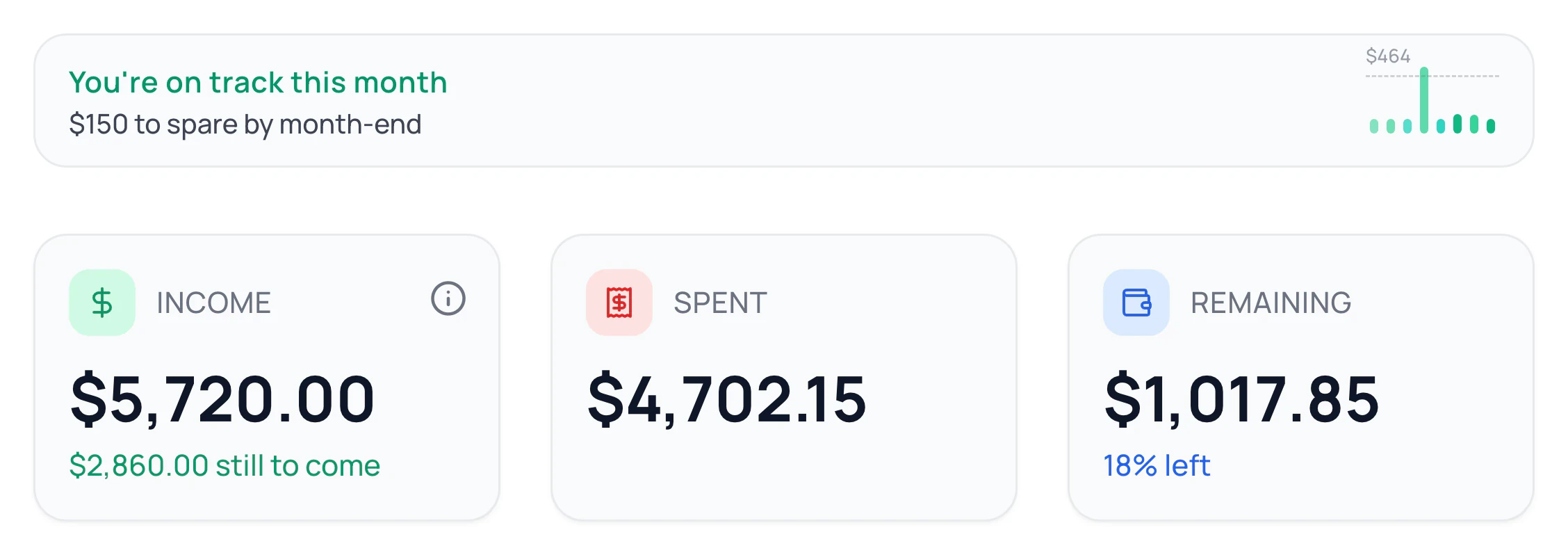
- The first line sums it up, like You’re on track this month. The line under it says by how much.
- The bars show your spending for the last 8 days, today on the right. On a computer, hover over a bar for that day.
What Each Message Means
- You’re on track this month: you’re heading for your budget or less.
- You’re still on track this month: you’re heading past your budget, but your income covers it.
- Pace is climbing: you’re heading a little past your income.
- You’re over budget this month: you’re heading more than 10% past your income, or you’ve already spent more than it.
See What’s Driving It

When you’re heading over and a category stands out, click the card to see why. On a computer, it’s marked What’s driving this. It names up to three everyday categories running over. Click one to see its transactions.
Instead, it may list the biggest expenses still due, or say most of your spending has no budget.
How It’s Worked Out
It estimates where each budgeted category will end the month, from your spending so far and what’s still planned. Early on it leans on your budget, later on your real spending. Spending with no budget counts too. Then it compares the total with your planned income.
When It Shows
It’s on your Dashboard from the start, on every plan. It shows once all three are true:
- Your income is set to Fixed. On Variable, there’s no planned income to measure against.
- At least three categories have a budget this month.
- You have at least three expenses this month.
In the first half of the month, it stays hidden while you’re on track. A warning shows any day. It only shows on the current month.
Common Questions
Remaining counts what you’ve spent so far. Budget Pace adds what you’re likely to spend before the month ends.
Safe to Spend counts the cash in your accounts until payday. Budget Pace looks at your budget for the whole month. See Safe to Spend.
Click Customize on your Dashboard (the sliders icon on a phone), then Add cards and the card’s +. If it can’t show yet, it waits there without a +. See Customize Your Dashboard.
Read Next
Still stuck? Use the ? at the top of the app to ask the Waypoint Guide, or message us. A person from our team will get back to you.