HelpGoals, Net Worth and Reports
Set a Savings Goal
Pick something to save for, contribute as you go, and see when you’ll get there
Saving for something specific, like an emergency fund or a trip? Make it a goal and watch it fill up. Goals are free on every plan.
Create a Goal
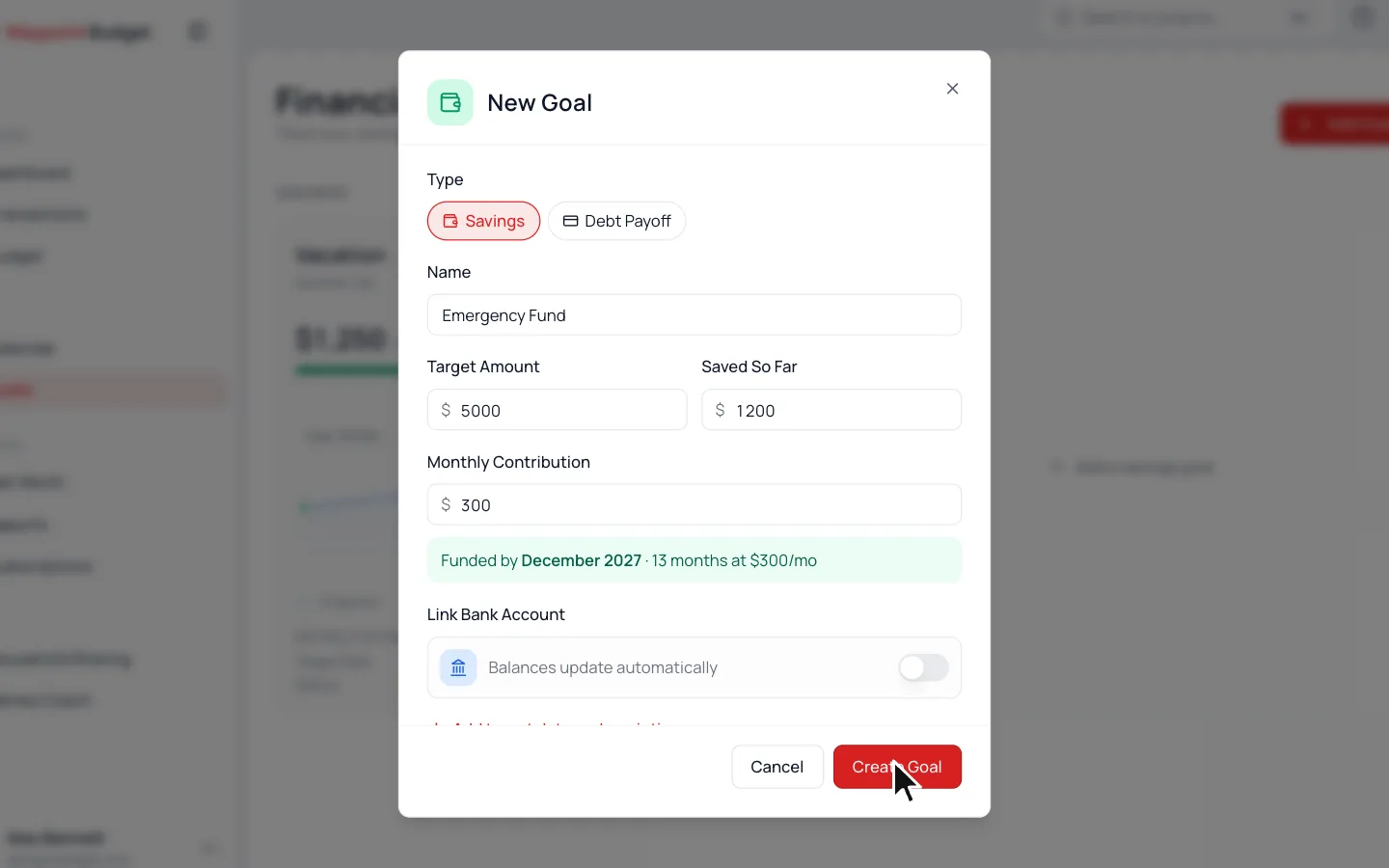
- 1.
Go to Goals and click Add Goal.
- 2.
Keep Savings selected and give it a Name.
- 3.
Fill in the Target Amount and what you’ve Saved So Far.
- 4.
Add a Monthly Contribution, or click Add target date or description to pick a date instead.
- 5.
Click Create Goal.
As you type, the goal shows when it’ll be fully funded.
Contribute to Your Goal
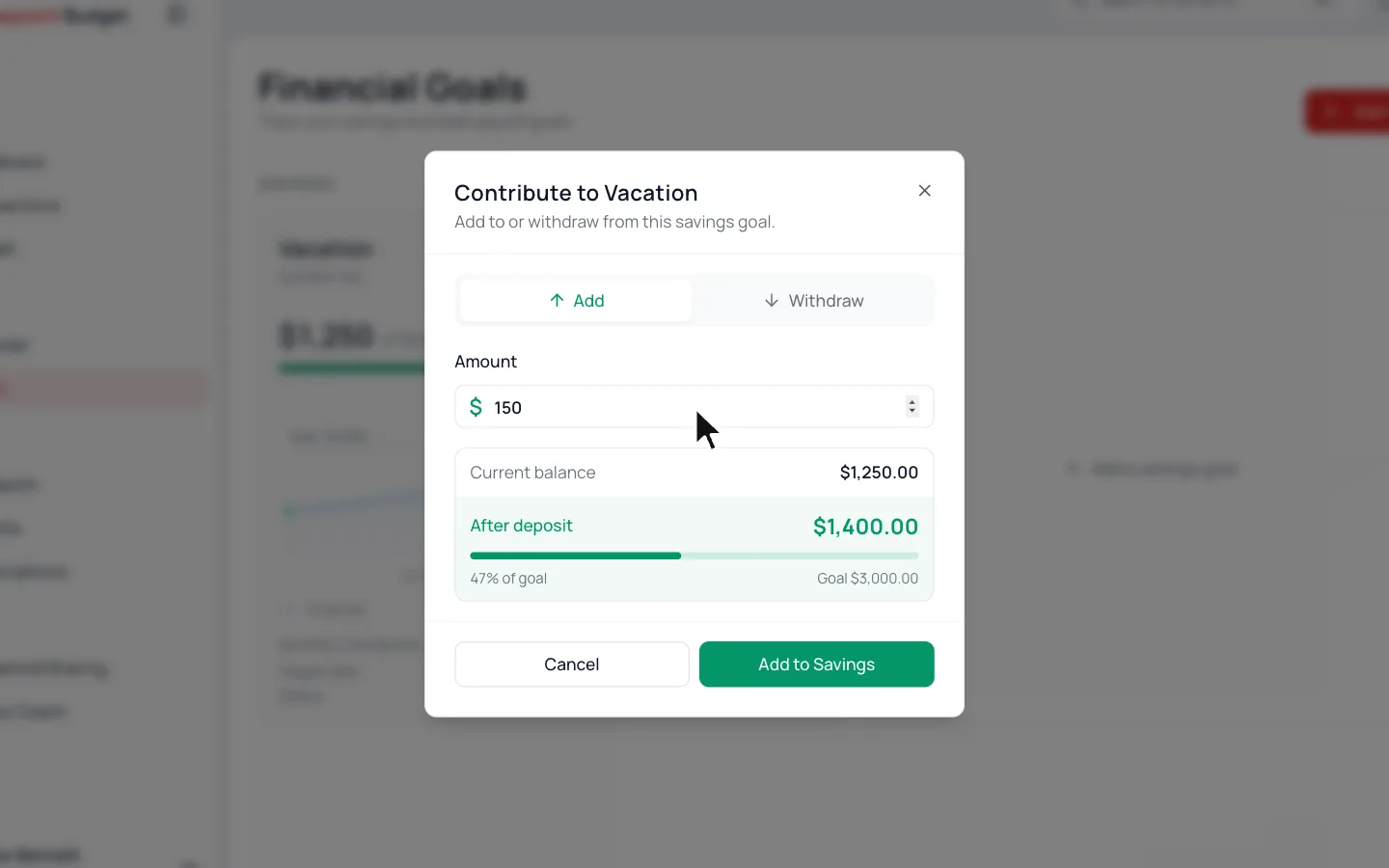
- 1.
Click Contribute on the goal.
- 2.
Type the Amount.
- 3.
Click Add to Savings.
Added Too Much?
Open the same window, switch to Withdraw, and take the extra back out.
Goals and Your Budget
Goals sit outside your monthly budget, so contributing doesn’t change Spent or Remaining. Want the money set aside in your budget too? Give it a rollover category. See Rollover Categories.
Common Questions
It stays in your list for a week, then moves down to Your wins. Need it back? Choose Reopen in its ⋯ menu. On a phone, open the goal first.
Yes. Turn on Link Bank Account when you create the goal and pick the account, connected or added by hand. The goal then follows its balance, so it has no Contribute button.
Read Next
Still stuck? Use the ? at the top of the app to ask the Waypoint Guide, or message us. A person from our team will get back to you.