HelpGoals, Net Worth and Reports
Pay Off a Debt
Track a card or loan as you pay it down, and see when you’ll be debt-free
Paying off a card or loan? Make it a goal and watch the balance shrink. Goals are free on every plan.
Add Your Debt
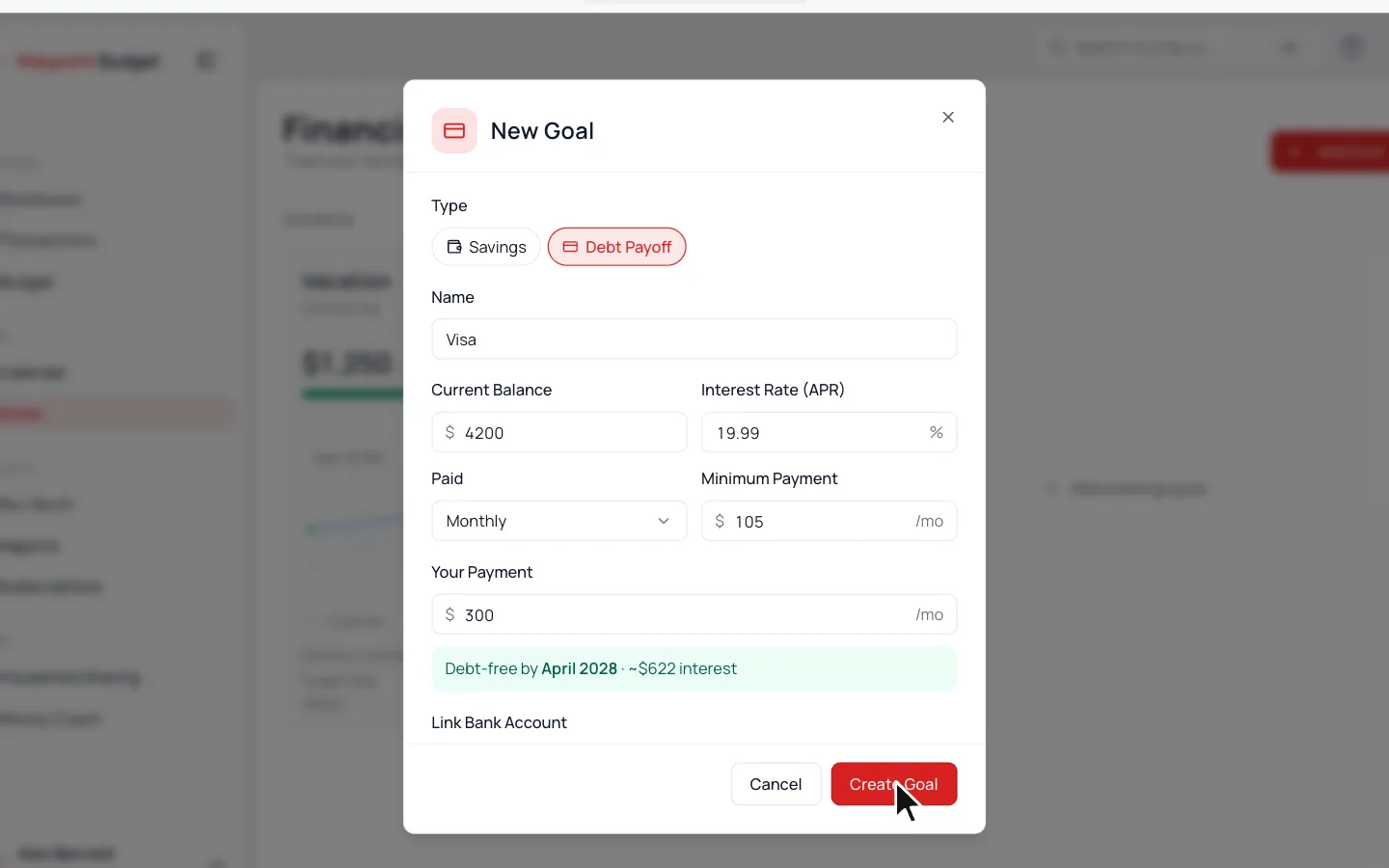
- 1.
Go to Goals, click Add Goal and pick Debt Payoff.
- 2.
Add a Name, the Current Balance you owe and its Interest Rate (APR).
- 3.
Pick how often you pay under Paid, then fill in the Minimum Payment and Your Payment.
- 4.
Click Create Goal.
As you type, it shows your debt-free date and roughly the interest you’ll pay.
Log a Payment
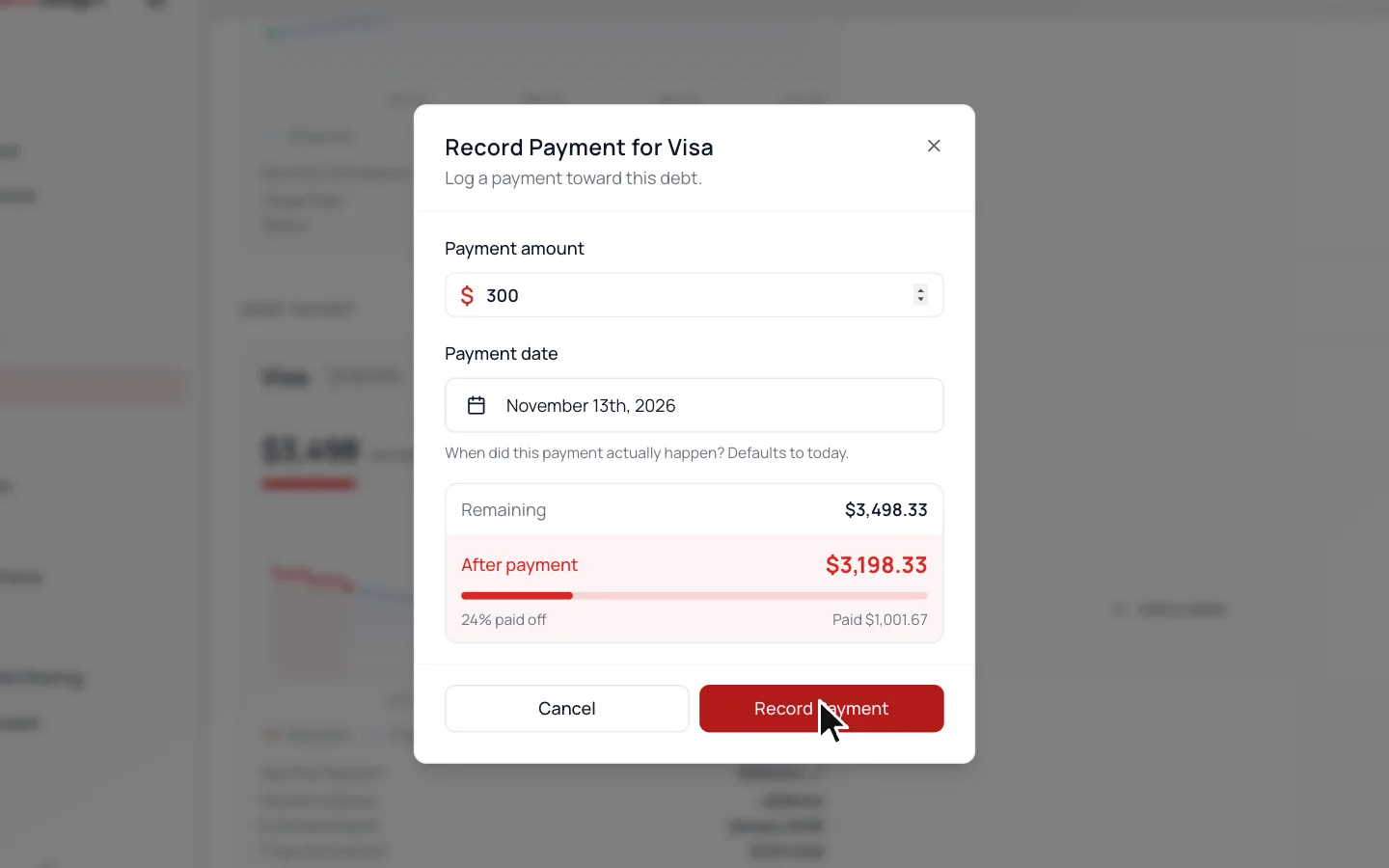
- 1.
Click Log Payment on the debt.
- 2.
Type the Payment Amount, and change the Payment Date if it was earlier.
- 3.
Click Record Payment.
Paid It From Your Bank?
Skip logging it. Open that payment and set Goal to the debt under Advanced Options, then click Update.
Common Questions
Yes. Turn on Link Bank Account from Edit in the debt’s ⋯ menu and pick the card or loan. Log Payment then goes away.
With an interest rate, a month’s interest is added on the 1st, like on a statement.
Click Set Up Plan above them. Avalanche pays the highest interest first, and Snowball the smallest balance.
It stays in your list for a week, then moves down to Your wins.
Read Next
Still stuck? Use the ? at the top of the app to ask the Waypoint Guide, or message us. A person from our team will get back to you.