HelpGoals, Net Worth and Reports
Reports
See where your money went over any stretch of time, and which categories keep going over
Want to know where your money went this year, or which categories keep going over? That’s what Reports are for.
Pick a Period
Open the dates at the top and pick This Month, Last 3 Months, Year to Date, All Time, or any start and end day. Everything on the page follows it.
What You’ll Find
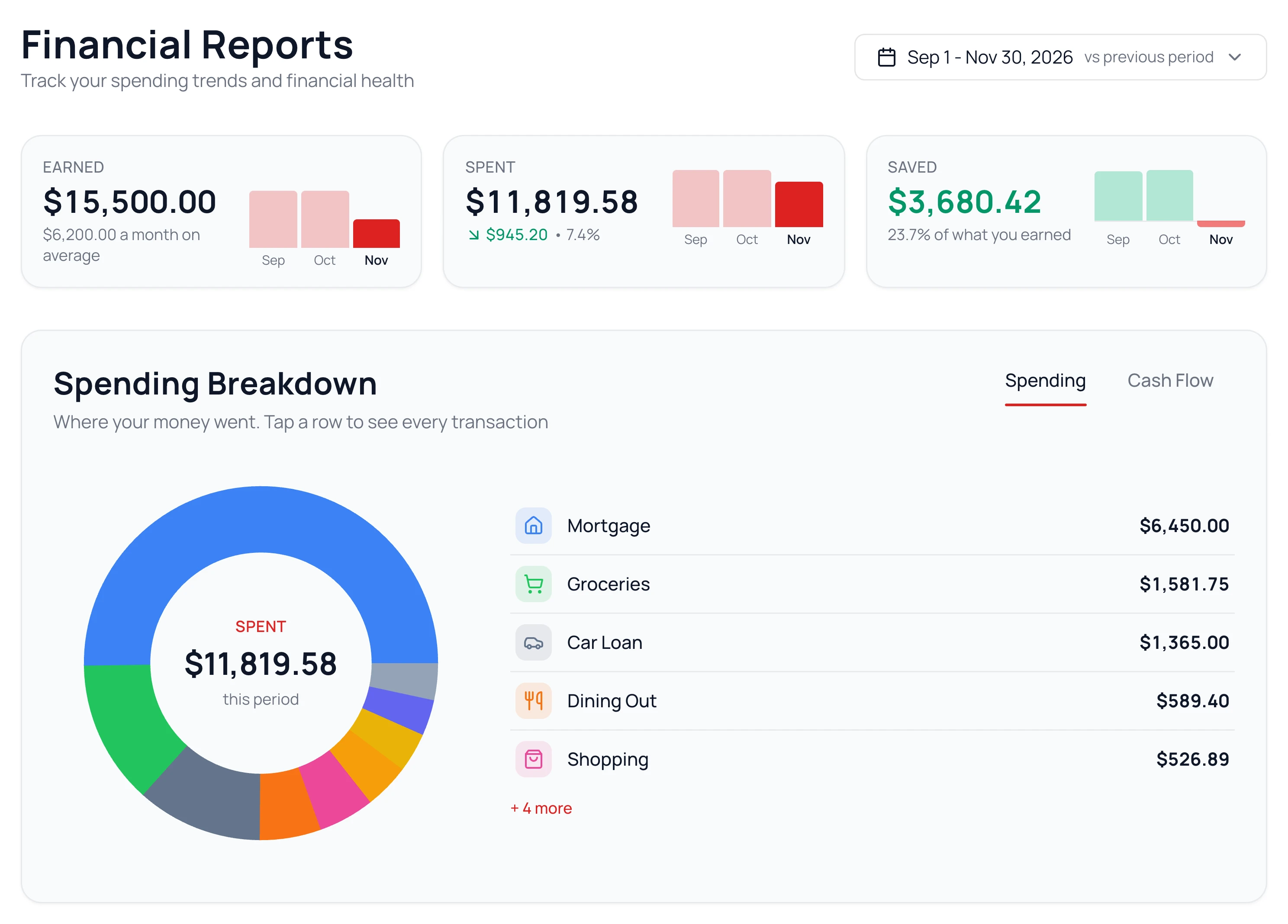
- Earned, Spent and Saved for the period, with a bar for each month when you pick more than one.
- Spending Breakdown: your spending by group and category. Click one to see its transactions.
- Cash Flow, a tab on Spending Breakdown: where your income went, and what you saved.
- Budget Trouble Spots: categories that went over in at least half the months, once you pick two months or more.
- Fixed vs Flexible: your steady costs next to the ones you can change.
Look Back at One Category
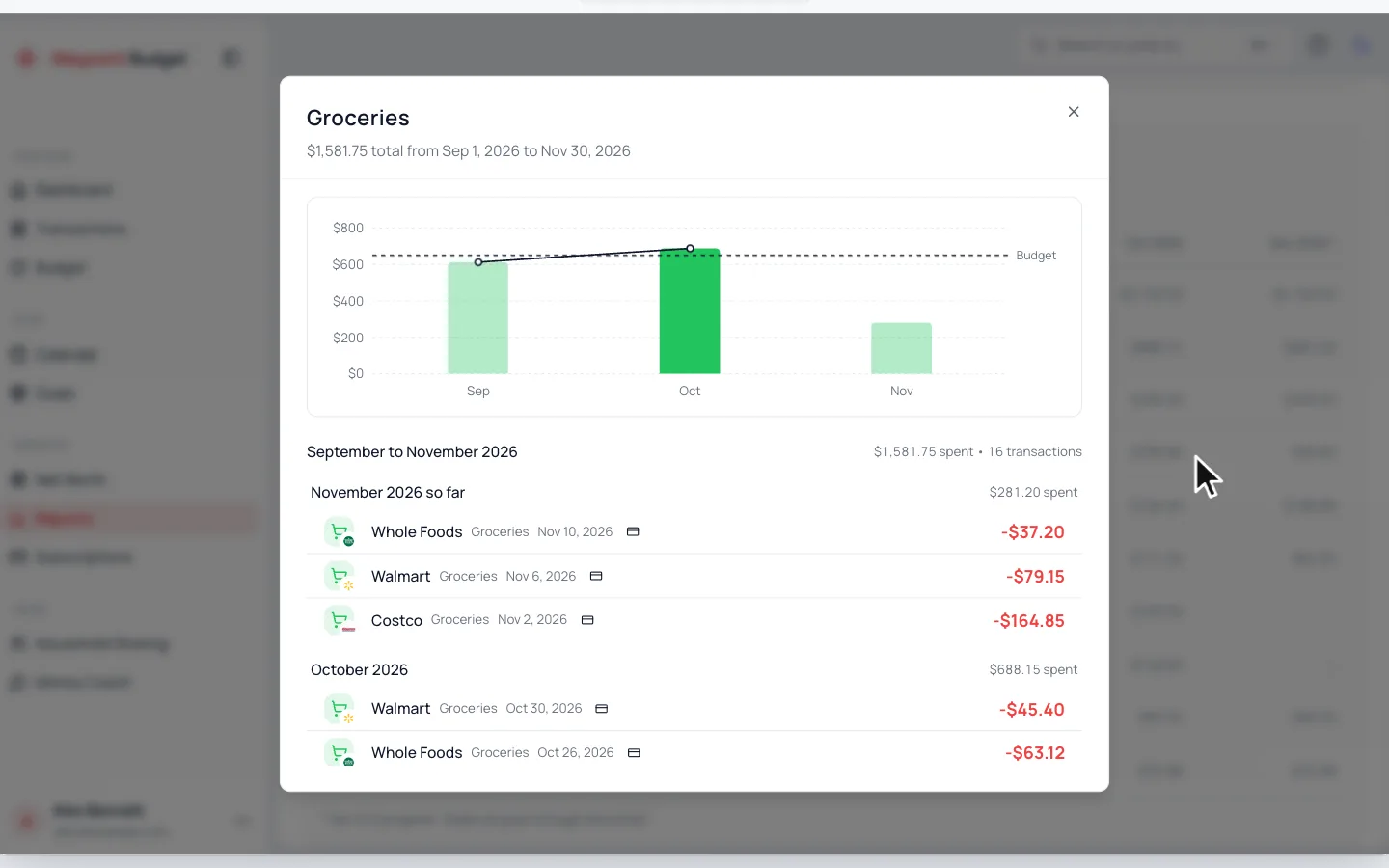
Click a category in the Detailed Category Breakdown table. You’ll see it month by month against your budget, with its transactions underneath.
Common Questions
Yes. Click Show breakdown, then click the category’s tag to move it to the other side.
It shows up once your income comes from two or more sources. See Set Up Your Income.
Still stuck? Use the ? at the top of the app to ask the Waypoint Guide, or message us. A person from our team will get back to you.