HelpGoals, Net Worth and Reports
Net Worth
Everything you own minus everything you owe, and how it changes over time
Net Worth adds up everything you own and takes off everything you owe. Watching it climb is one of the best parts of budgeting.
What Counts
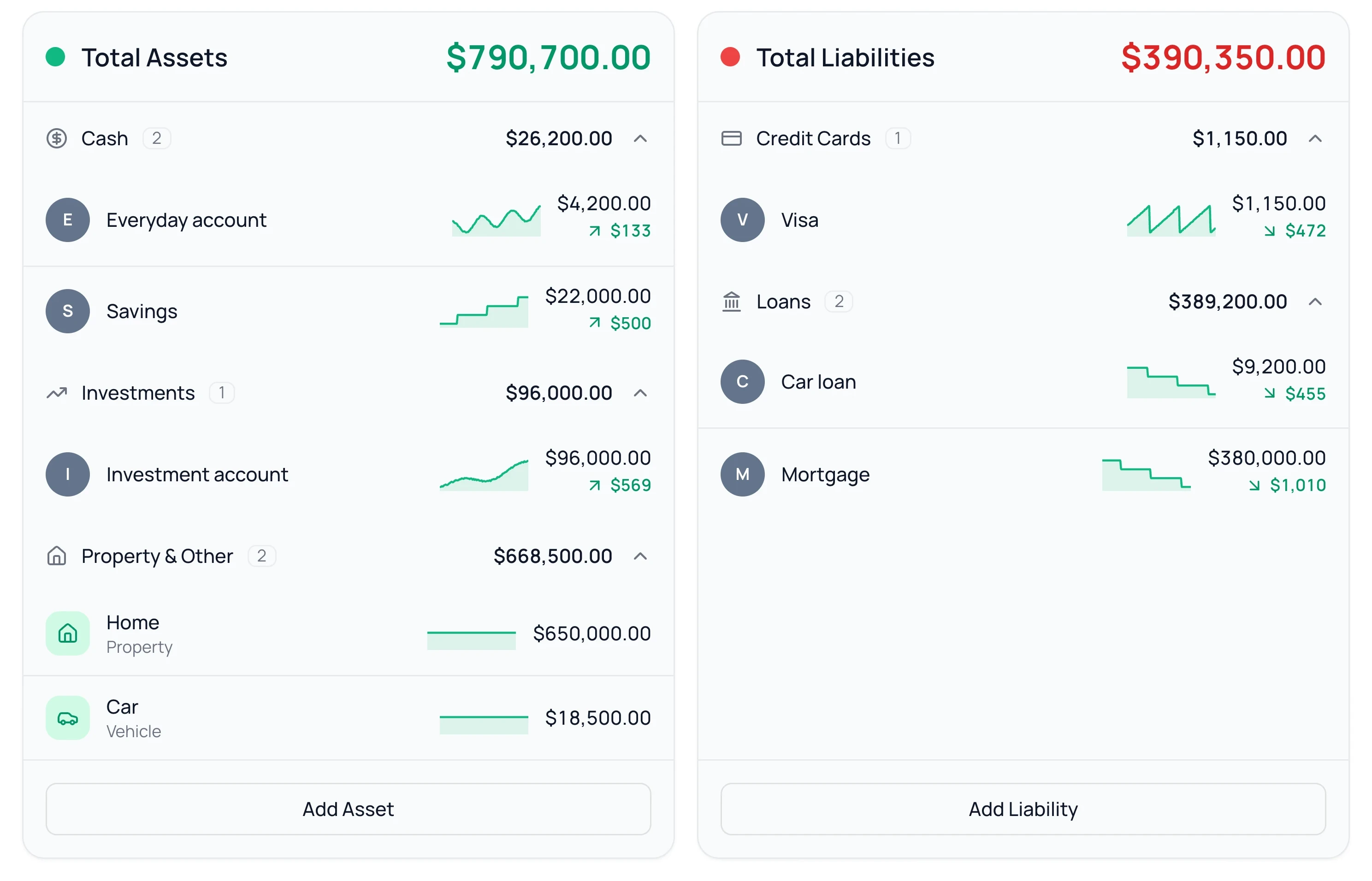
- Your connected accounts, which update on their own.
- Anything you add with Add Asset, like a home, a car or an investment account.
- Anything you owe that isn’t connected, added with Add Liability, like a mortgage or a car loan.
Investment and retirement accounts count by their balance. Individual trades and holdings aren’t tracked.
Your Trend
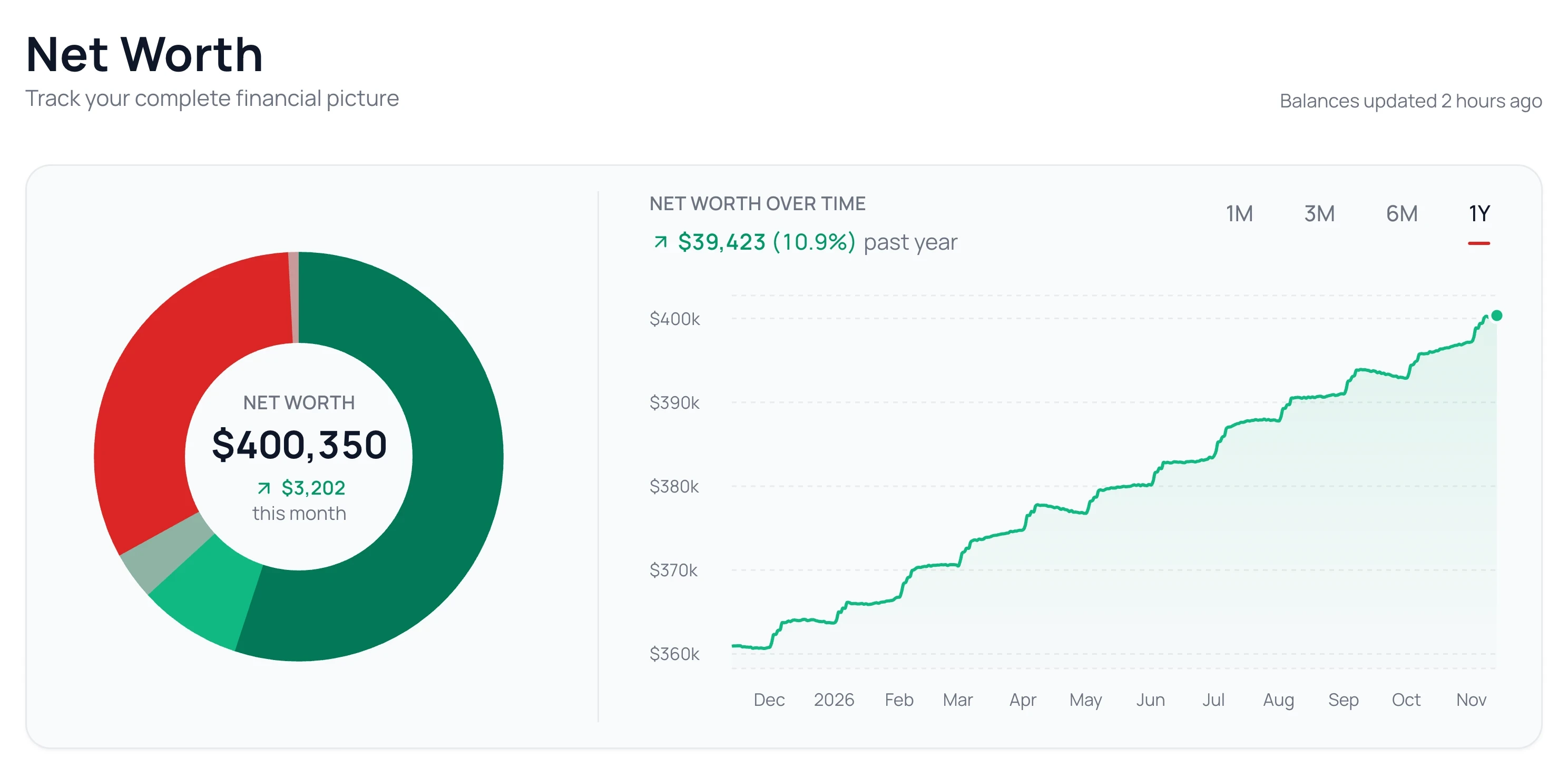
Net Worth saves your total once a day and draws the line from it. Pick 1M, 3M, 6M or 1Y to change the stretch. The line starts after your first week. Click any account or item to see how its own value has changed.
Leave an Account Out
Open the account from Banks and turn Net worth off in its Settings. Its balance leaves your net worth, its past days included, so the line doesn’t drop on the day you turn it off. Its transactions stay in your budget. Turn it back on anytime.
An Account Shows as the Wrong Type
Click the account to open its page. In its ⋯ menu, choose Edit Account and change its type.
Common Questions
Not yet. Net Worth groups accounts by type in a set order.
No. Turning Syncing off only stops new transactions. To leave an account out of your net worth, use its Net worth switch.
No. You can add everything by hand with Add Asset and Add Liability.
Read Next
Still stuck? Use the ? at the top of the app to ask the Waypoint Guide, or message us. A person from our team will get back to you.