Duplicate Transactions
Where doubled-up transactions come from, and how to clear them
Waypoint Budget matches the bank’s copy of a purchase with one you imported or added by hand, so it counts once. A few can still slip through.
Where They Come From
- Reconnecting a bank, or switching how it connects.
- Importing a file that overlaps what your bank already sent.
- A partner connecting a bank you’d already connected.
Remove the Extra Copy
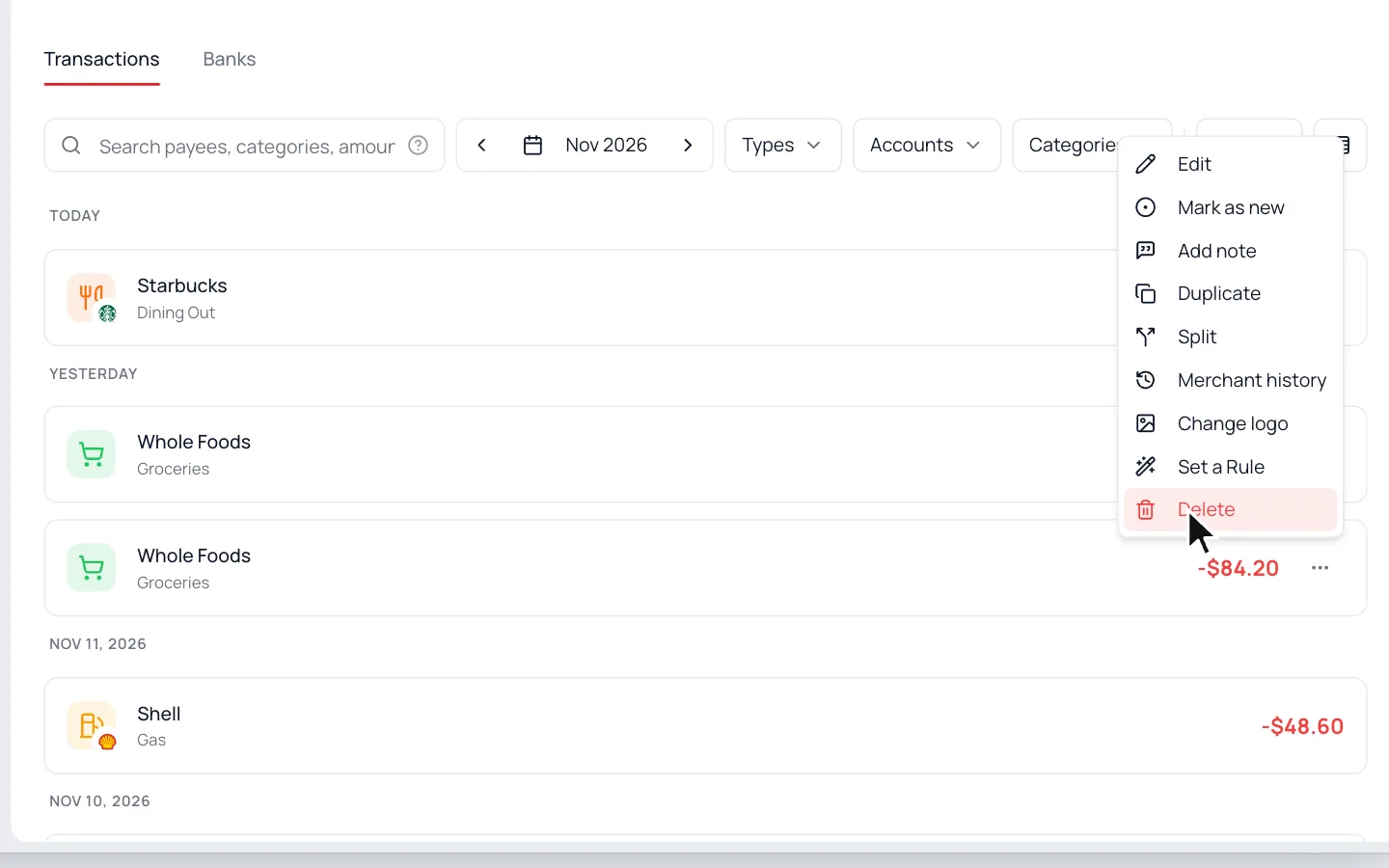
- 1.
Click the ⋯ on the extra copy.
- 2.
Choose Delete.
- 3.
Confirm with Delete Transaction.
If a bank copy comes back after the next sync, open it instead and turn on Exclude from budget under Advanced Options. It stays in your list, but it won’t count.
Lots of Them?
Message us from Help & Support. We’ll clean them up for you and keep your categories.
Common Questions
Usually not. When the bank’s copy has the same amount within a few days, it links to yours. Round amounts like $20 can still double, so delete the extra one.
Still stuck? Use the ? at the top of the app to ask the Waypoint Guide, or message us. A person from our team will get back to you.