Refunds and Reimbursements
Take money you got back off a category’s spending instead of counting it as income
Returned something, or got paid back? Mark it as a Refund or Reimbursement. It comes off that category’s spending instead of counting as income.
Mark Money You Got Back
- 1.
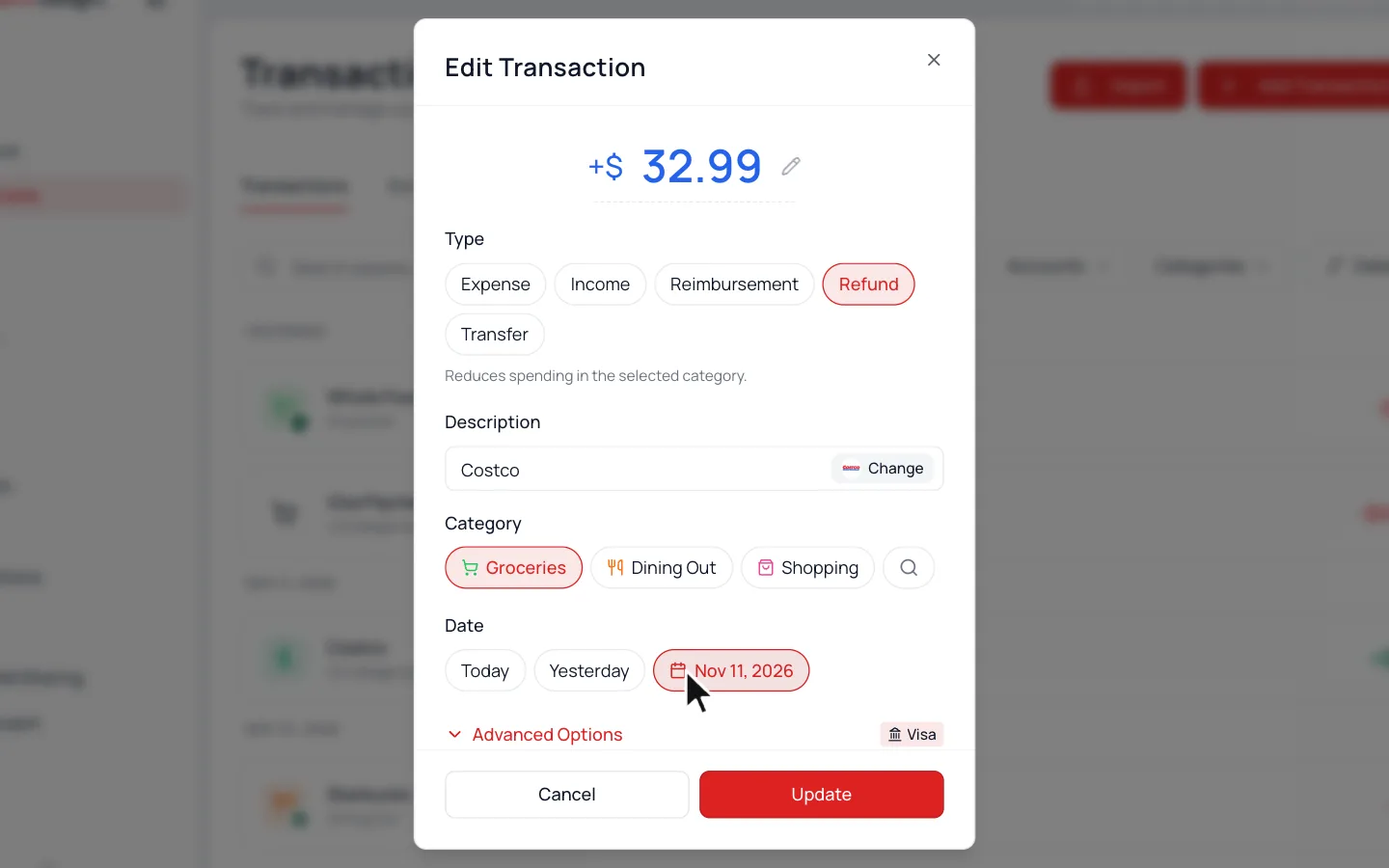
Click the money that came in to open Edit Transaction.
- 2.
Pick Refund or Reimbursement under Type.
- 3.
Pick the category it belongs to, then click Update.
Refund
A store return or a cancelled order.
Reimbursement
Work, insurance, or a friend paying you back.
Both work the same way. The label is there for your records.
Watch for Returns
Waypoint Budget catches many returns on its own, but some still come in as income. Fix the type when you see one.
Common Questions
Make it a Reimbursement under Dining Out. Your dinner then only counts your share.
Yes. Add a rule for that deposit and pick the category it pays back, then choose to take it off that category’s spending. See Categorization Rules.
Open it, then Advanced Options, and turn on Exclude from budget. It stays in your history but doesn’t count anywhere.
Still stuck? Use the ? at the top of the app to ask the Waypoint Guide, or message us. A person from our team will get back to you.