Month Outlook
Whether this month will end ahead or short, from the income still coming and the spending still ahead
Will this month end ahead or short? Month Outlook adds what’s still to come to this month’s income and spending so far, and shows where you’ll land on the last day. It’s a Dashboard card you add yourself.
Add the Card
- 1.
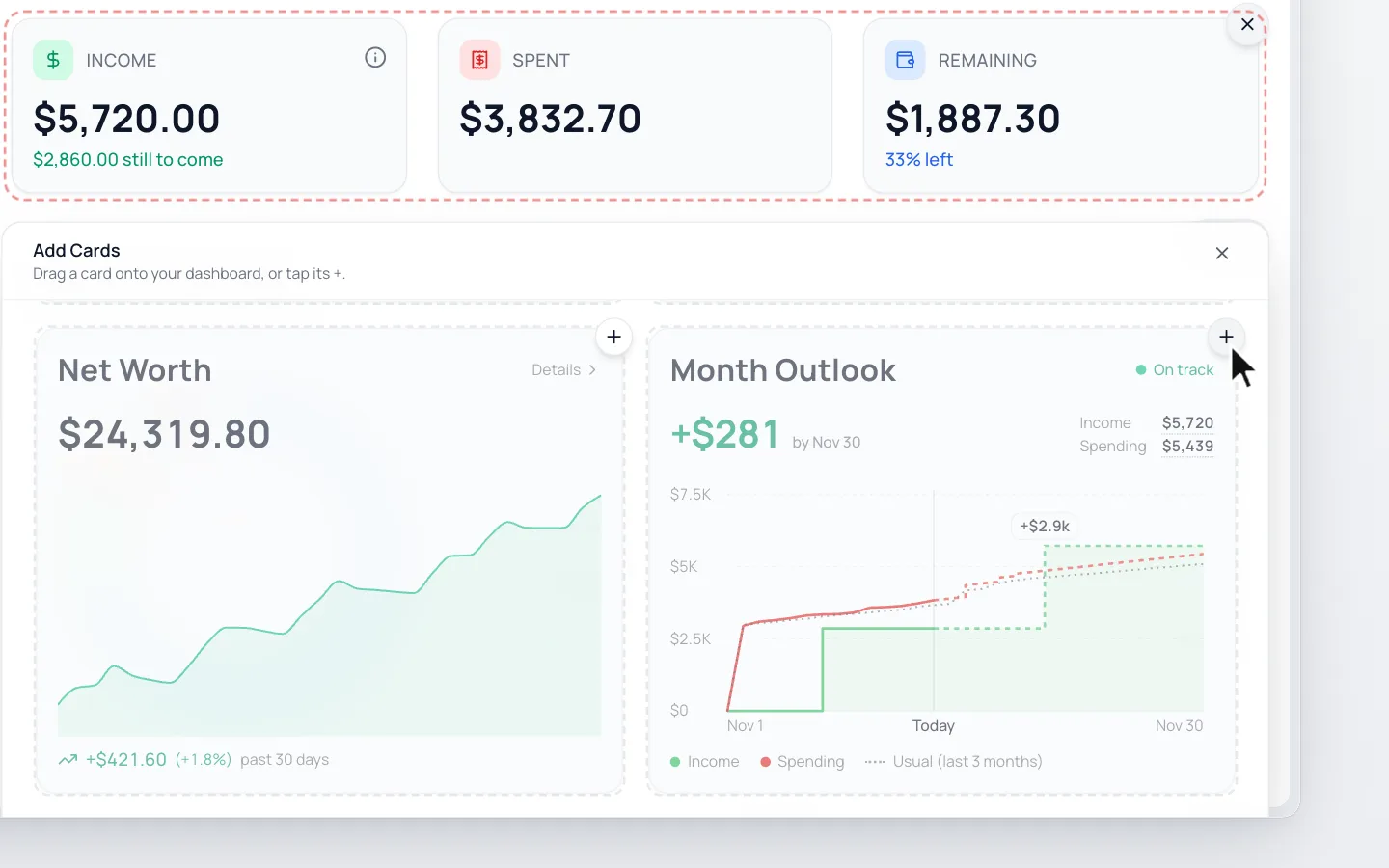
Click Customize on your Dashboard. On a phone, it’s the sliders icon beside the month.
- 2.
Click Add cards, then the + on Month Outlook, near the bottom.
- 3.
Click Done.
Read the Card
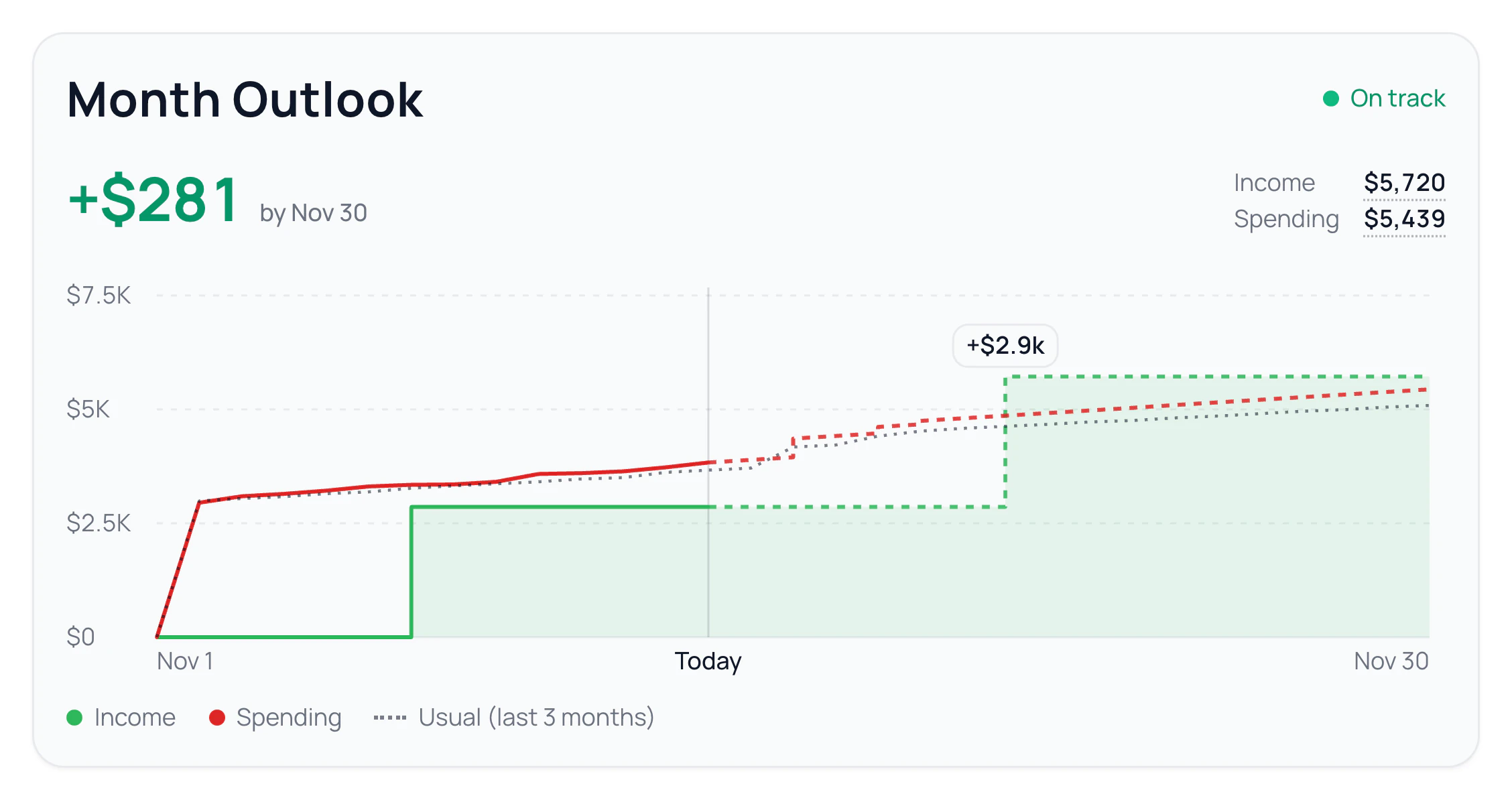
- The big number is where you’re heading by month end: income minus spending.
- On track means you’re heading to end ahead, About even within 2% of your income, and At risk short.
- The two lines show your income and spending through the month: solid for what’s happened, dashed for what’s expected.
- The dotted line is what you usually spend by each day, from your last 2 or 3 months.
- Click a day for its details, or a name under the chart to hide its line.
When sticking to your budget would end the month better, you’ll see that too, like “+$151 if you stay on budget”.
How It’s Worked Out
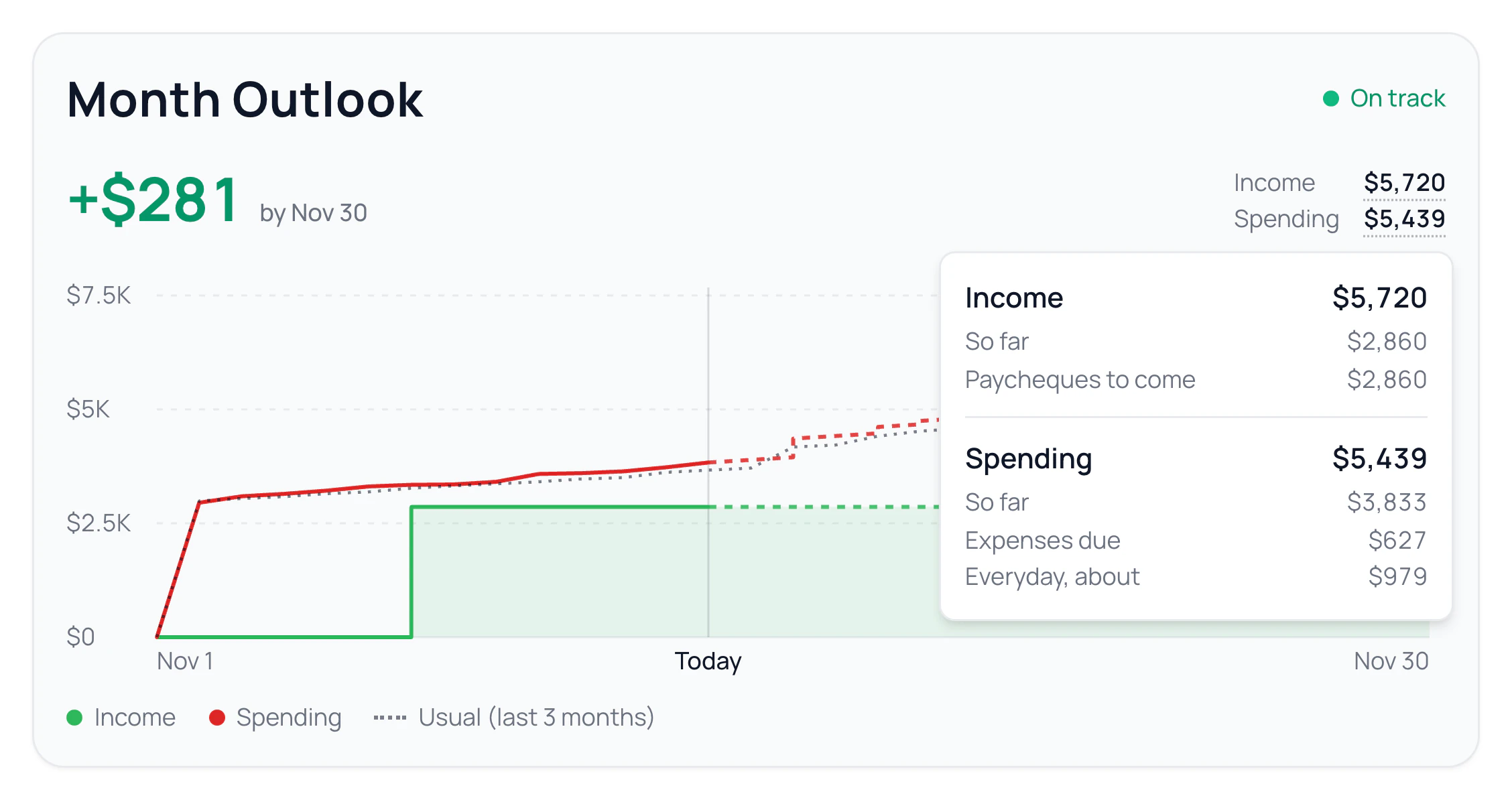
Click Income or Spending to see their parts.
- Income: what’s come in So far, plus Paycheques to come from your paydays, or Still to come without them.
- Extra income you usually get, like a side job, shows as Extra, usually.
- Spending: what you’ve spent So far, plus Expenses due and Everyday, about.
- Expenses due are payment days in your budget, repeating expenses, subscriptions and regular charges from your bank, still unpaid this month.
- Together, Expenses due and Everyday, about land halfway between what’s left in your budget and what you usually spend from now to month end. Without that history, it’s what’s left in your budget.
Keep It Accurate
- Set your paydays. See Set Up Your Income.
- Add payment days to categories, so expenses land on their day. See Your Calendar.
Common Questions
Remaining takes what you’ve spent so far from your income. Month Outlook also takes off what’s still ahead this month.
It works from what came in over your last few months. With fewer than two months of history, it shows how much more needs to come in this month.
It has no paydays, monthly income or recent income to work from yet. Click Set up income to add yours.
No. It looks ahead to this month’s end, so it only shows on the current month.
Read Next
Still stuck? Use the ? at the top of the app to ask the Waypoint Guide, or message us. A person from our team will get back to you.