Plans, Free Trial and Cancelling
What each plan adds, how the free trial works, and how to change or cancel
Waypoint Budget is free for as long as you like. The Pricing page has every plan’s full list and prices.
Free
- Your budget, goals and Safe to Spend
- Add transactions by hand or from a file
Plus
Everything in Free, and:
- Sync one bank, with all its accounts
- Reports and Subscriptions
Pro
Everything in Plus, and:
- Unlimited banks
- Net Worth
- A shared household budget (people you invite join free)
Your Free Trial
Plus and Pro start with 7 days free, once per account. You’re not charged until the trial ends, and you can cancel before then.
Change or Cancel Your Plan
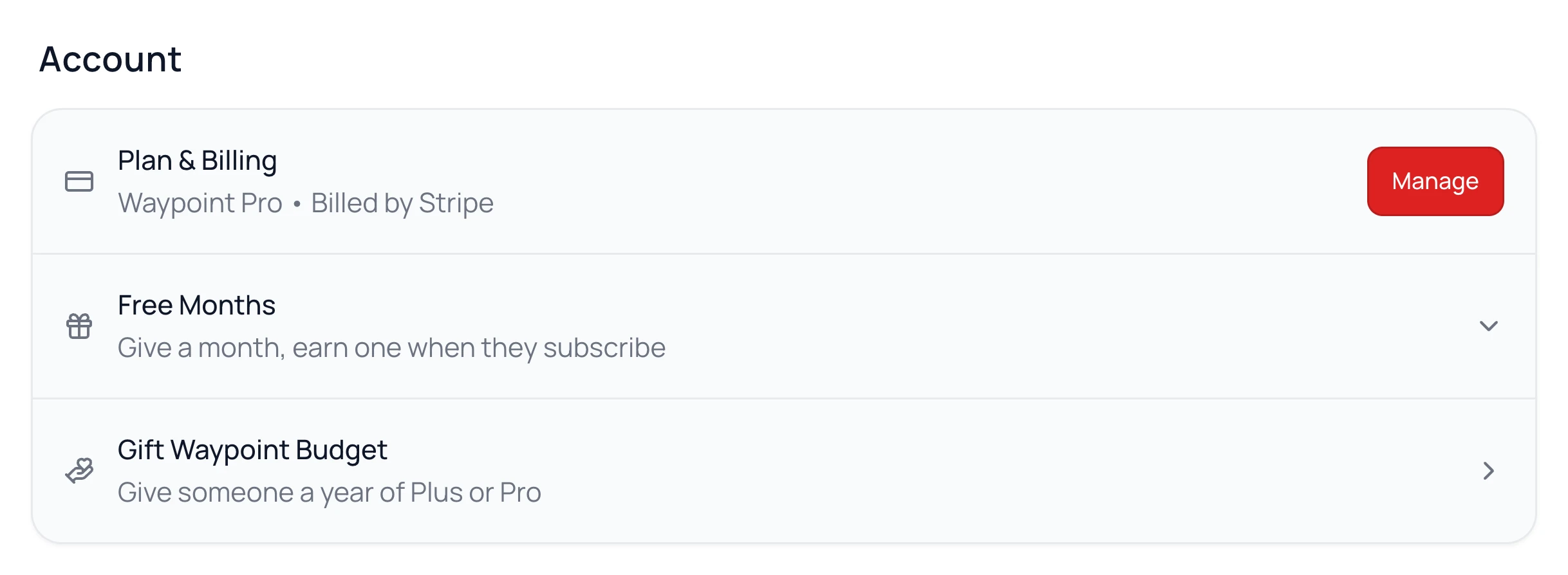
- 1.
Go to Settings.
- 2.
Under Account, click Manage next to Plan & Billing.
- 3.
Switch plans, update your card, or cancel.
Subscribed in the iPhone app? Apple handles that billing. On your iPhone, Manage opens your App Store subscriptions.
Cancelling
Your plan runs to the end of the period you paid for. Your budget and history then stay with you on Free.
Common Questions
Yes, in full, within 30 days of the charge. Message us from Help & Support. If you subscribed in the iPhone app, Apple handles the refund.
Both, at the same number. Canadians pay in Canadian dollars, Americans in US dollars.
It’s disconnected when your plan ends, and everything it brought in stays. Come back to a paid plan and you connect it again. Moving from Pro to Plus keeps one bank.
Still stuck? Use the ? at the top of the app to ask the Waypoint Guide, or message us. A person from our team will get back to you.