New Transactions Aren’t Showing Up
Why a purchase can take a day or two, and what to check if it doesn’t arrive
Connected bank, but a purchase isn’t here yet? It’s usually timing, not a broken connection. Work down this list.
Give It a Day or Two
Banks send new transactions 1 to 2 business days after they post, and not on weekends. A Friday purchase can show up Monday or Tuesday. Balances update sooner.
Still Pending at Your Bank?
Open your bank’s own app. Some banks only send a purchase once it posts. If it’s still Pending there, it comes through after that.
Check Your Filters
On Transactions, clear any search or filters, and check the month at the top of the list.
Is the Account Paused?
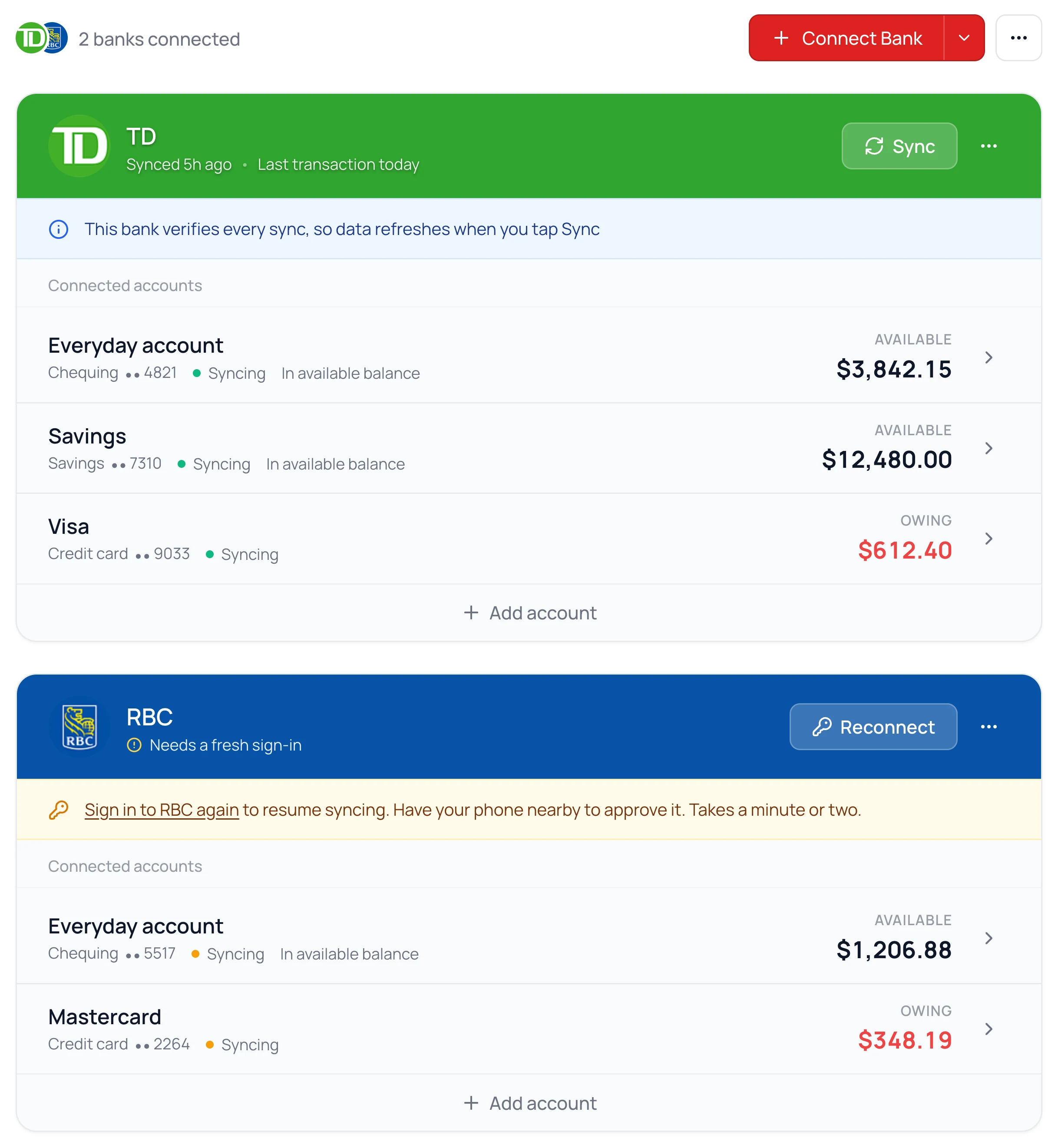
- 1.
On the Banks page, check that the account says Syncing.
- 2.
If it says Paused, click it and turn on Syncing.
A paused account hides all of its transactions until you turn it back on. Nothing is deleted.
Does the Bank’s Card Show a Notice?
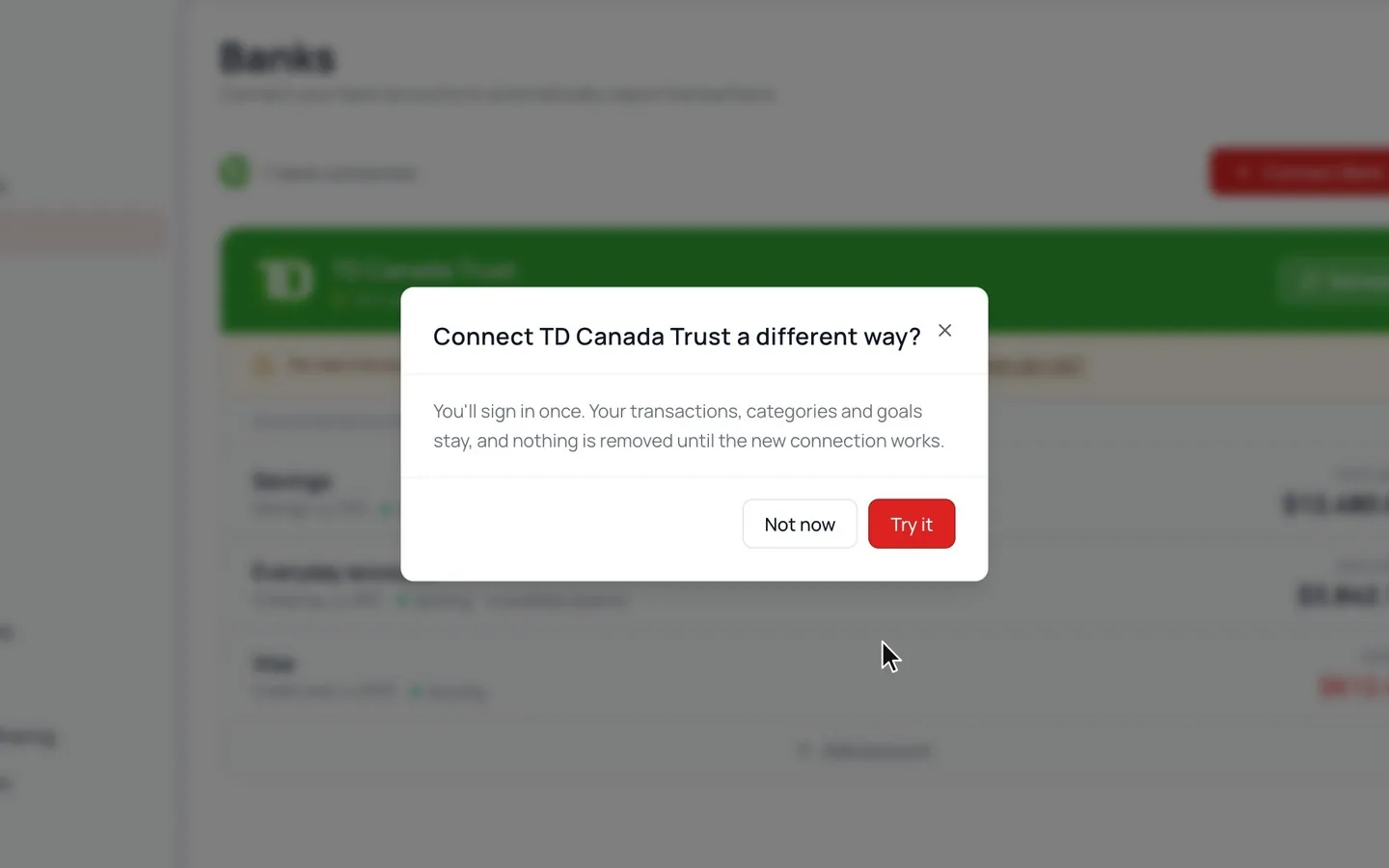
A bank that has stopped sending transactions says so on its card. Click Refresh if it’s there. Still stuck? If the card’s ⋯ menu has Try a Different Way, that connects the bank through our other provider. Your transactions and categories stay.
Opened a New Account?
New accounts don’t appear on their own. Click Add account at the bottom of that bank and pick the new account. Nothing doubles up, and your history stays.
Some Accounts Only Show a Balance
Some accounts, like many investment accounts, loans and mortgages, only send a balance. Your net worth is right, but your budget won’t see their transactions.
Common Questions
Sync pulls in whatever your bank has already released. It can’t make the bank release things sooner.
Message us from Help & Support with the bank and the missing purchase. We’ll take a look.
Read Next
Still stuck? Use the ? at the top of the app to ask the Waypoint Guide, or message us. A person from our team will get back to you.