Safe to Spend
How much you can spend from your accounts before your next payday, and how it’s worked out
Safe to Spend answers one question: how much can you spend from your accounts before your next payday? It’s a Dashboard card you turn on yourself.
Add the Card
- 1.
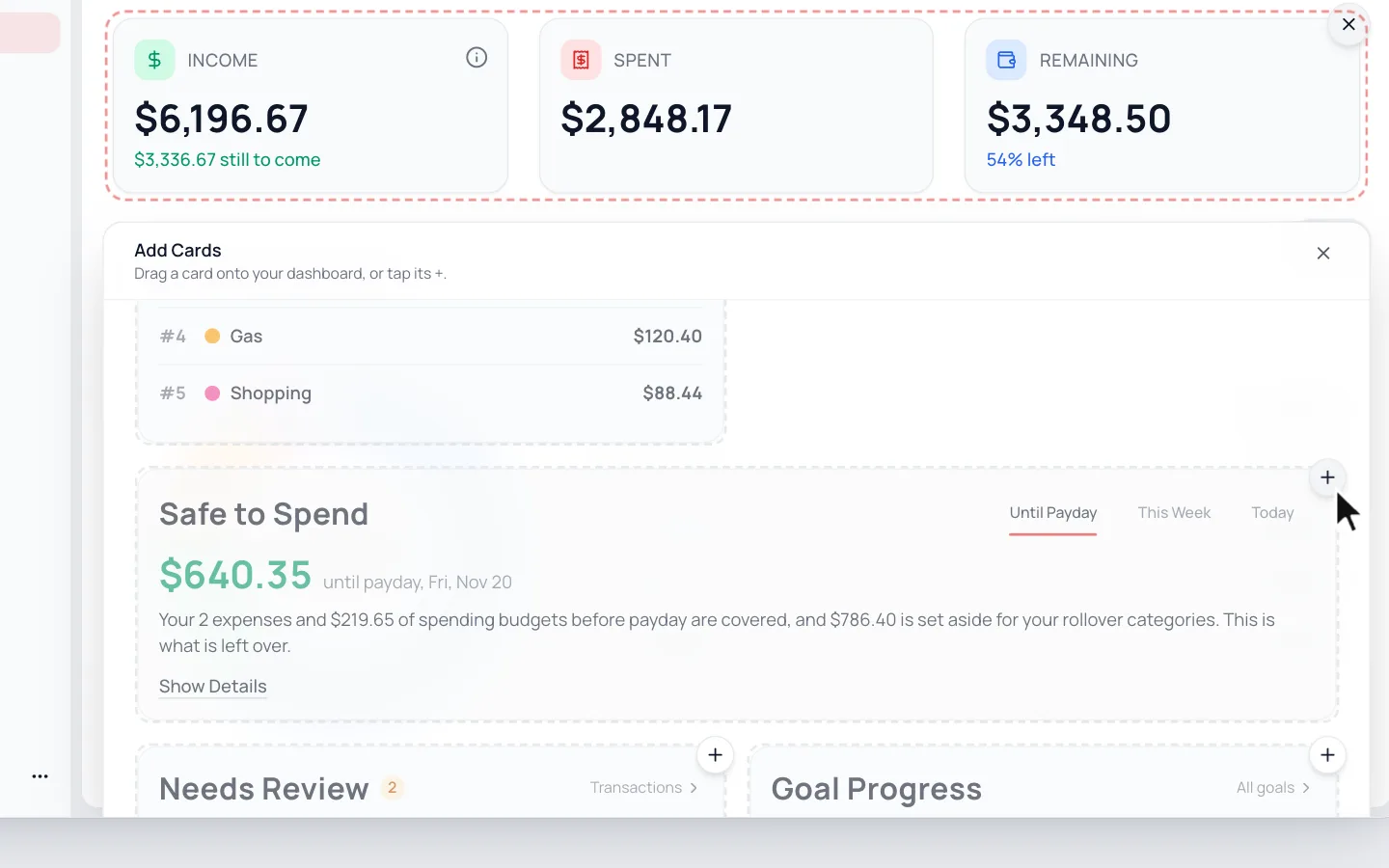
Click Customize on your Dashboard. On a phone, it’s the sliders icon beside the month.
- 2.
Click Add cards, then the + on Safe to Spend.
- 3.
Click Done.
How It’s Worked Out
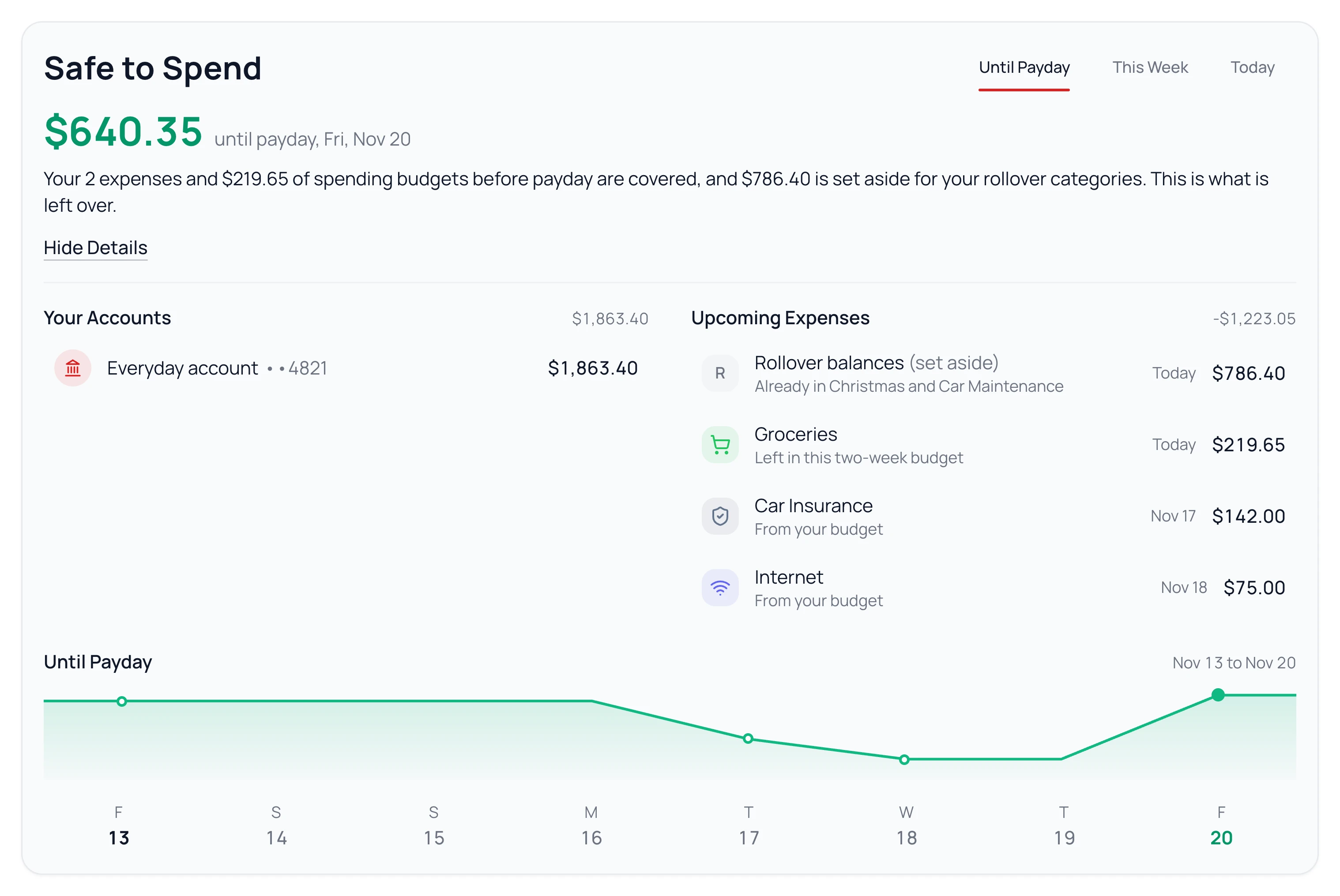
- It starts with the money in the accounts you spend from, connected or added by hand. Savings and accounts you don’t spend from aren’t counted.
- It takes off expenses due before your next payday.
- It holds back what your weekly and every-2-weeks categories still need before payday.
- It sets aside the money in your rollover categories, unless your savings already covers it.
What’s left is yours to spend until payday. Click Show Details to see each part.
Safe to Spend, Remaining and Budget Pace
Safe to Spend
Cash in your accounts, until your next payday.
Remaining
This month’s income, minus what you’ve spent and set aside so far.
Budget Pace
Whether you’ll end the month within your income, at the pace you’re spending.
They can disagree, and that’s fine. You might have plenty in the bank while spending faster than your budget, or the other way around.
Keep It Accurate
- Set your payday. See Set Up Your Income.
- Add payment days to categories, so expenses due before payday come off. See Your Calendar.
- Keep balances current. Connected banks update on their own. If you added an account by hand, update its balance when it changes.
Common Questions
On Fixed income, Remaining counts the whole month’s pay, even pay that hasn’t come in yet. Safe to Spend starts from the cash in your accounts today, so it’s often lower right before payday.
No. Goals keep their own balance and don’t change Safe to Spend.
Yes, as a widget on your phone. See Add Widgets to Your Phone.
Read Next
Still stuck? Use the ? at the top of the app to ask the Waypoint Guide, or message us. A person from our team will get back to you.