The 2-Minute Check-In
What to do a few times a week to keep your budget accurate
A few times a week, bring in new transactions, fix any wrong category, and glance at your Dashboard. It takes about two minutes.
Bring In New Transactions
Most banks bring new transactions in on their own. No bank connected? Add what you spent since last time. Something missing? See New Transactions Aren’t Showing Up.
Fix Any Wrong Category
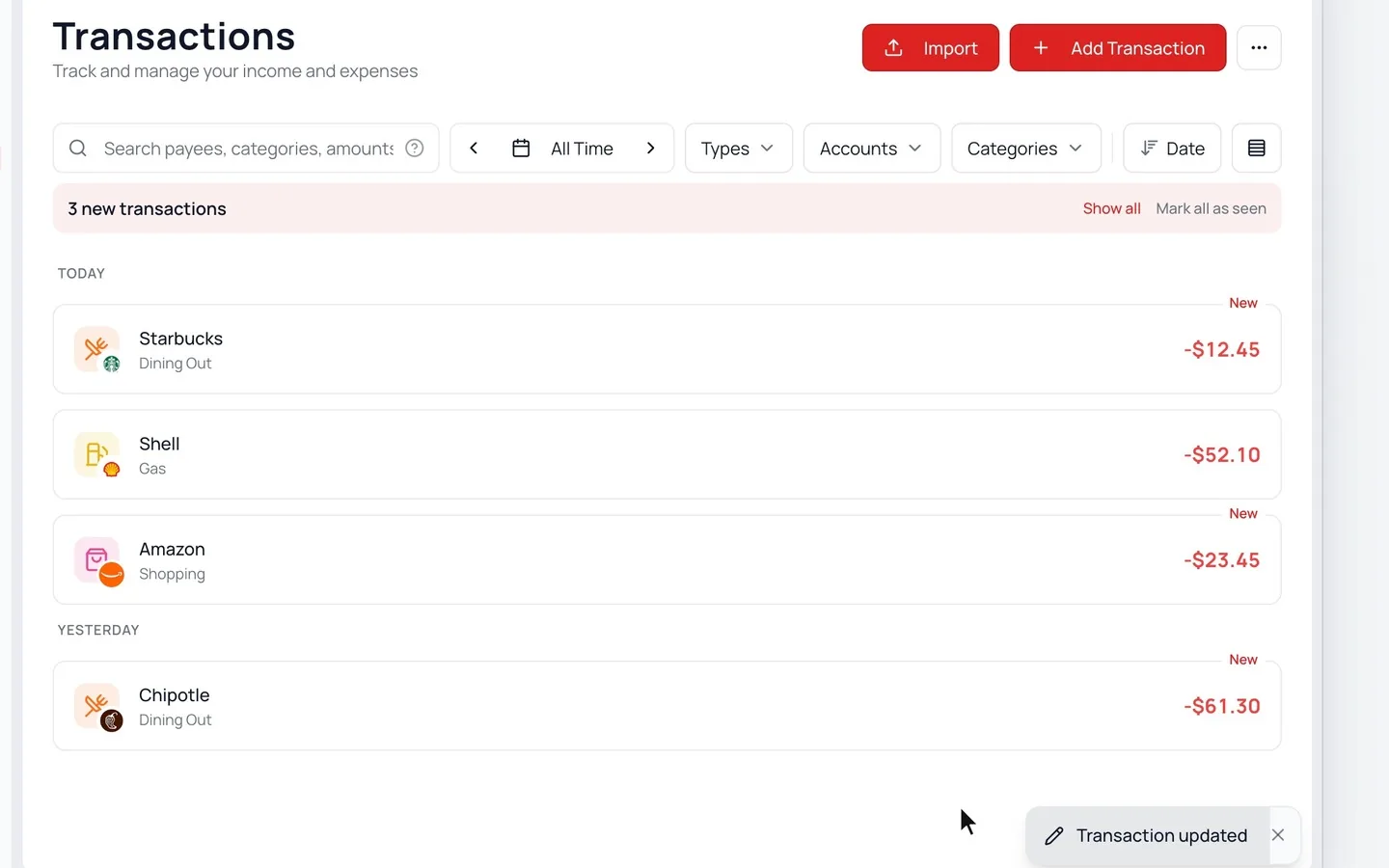
- 1.
On Transactions (Activity on a phone), look over what’s new. Show only new lists what your bank brought in.
- 2.
Click a transaction in the wrong category.
- 3.
Pick the right Category and click Update.
- 4.
If it offers to fix similar ones too, click Review, then Apply.
Glance at Your Month
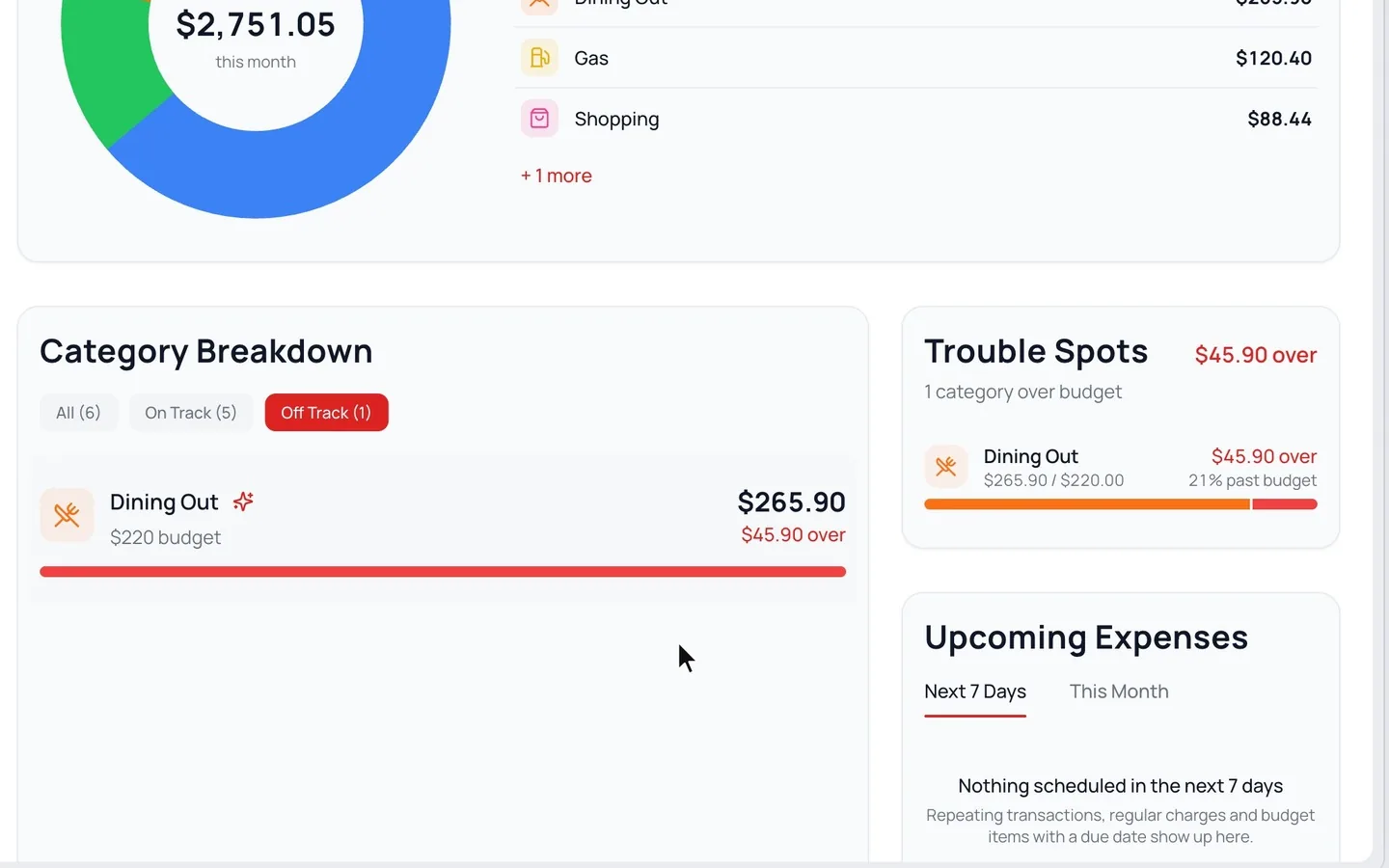
On your Dashboard, check Remaining and, if you added it, Safe to Spend. If Category Breakdown shows Off Track, click it to see what went over.
Common Questions
It appears once your income is set to Fixed and you have three budgeted categories and three expenses this month. In the first half of the month, it stays hidden while you’re on track.
Read Next
Still stuck? Use the ? at the top of the app to ask the Waypoint Guide, or message us. A person from our team will get back to you.