Set Up Your Income
Fixed or variable pay, more than one income, and a partner’s pay
Fixed
The same take-home pay on a schedule, like a salary. Your budget plans around it.
Variable
Pay that changes, like shifts, tips or freelance work. Your income is whatever has come in this month.
More Than One
Your pay plus a second job, a pension or benefits. Each one is its own source.
Fixed Income
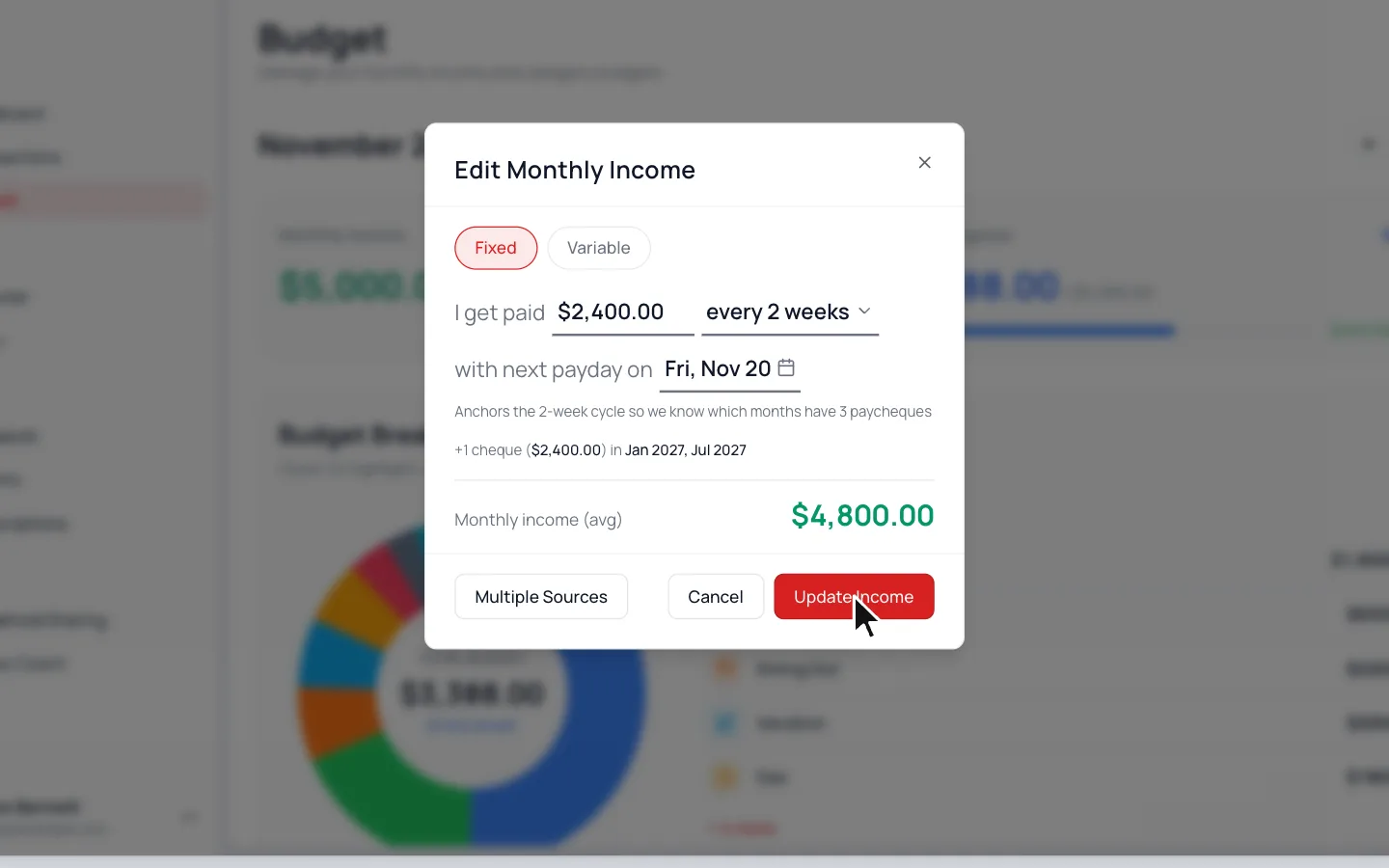
- 1.
Go to Budget and click the Monthly Income card.
- 2.
With Fixed selected, enter your take-home pay, how often you’re paid and your next payday.
- 3.
Click Update Income.
Variable Income
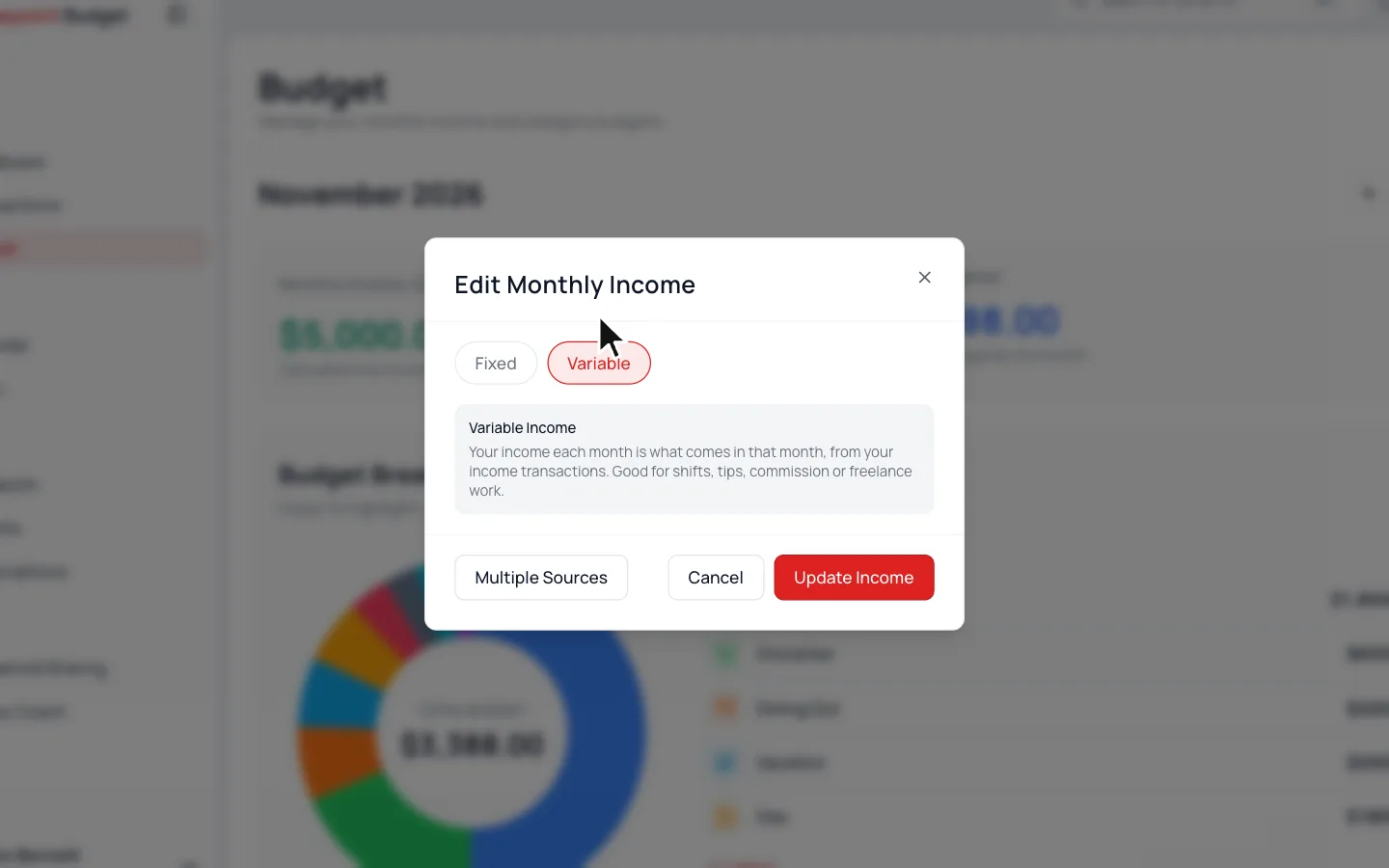
- 1.
Go to Budget and click the Monthly Income card.
- 2.
Pick Variable, then click Update Income.
On Variable
A new month starts at $0 and grows as your pay comes in.
More Than One Income
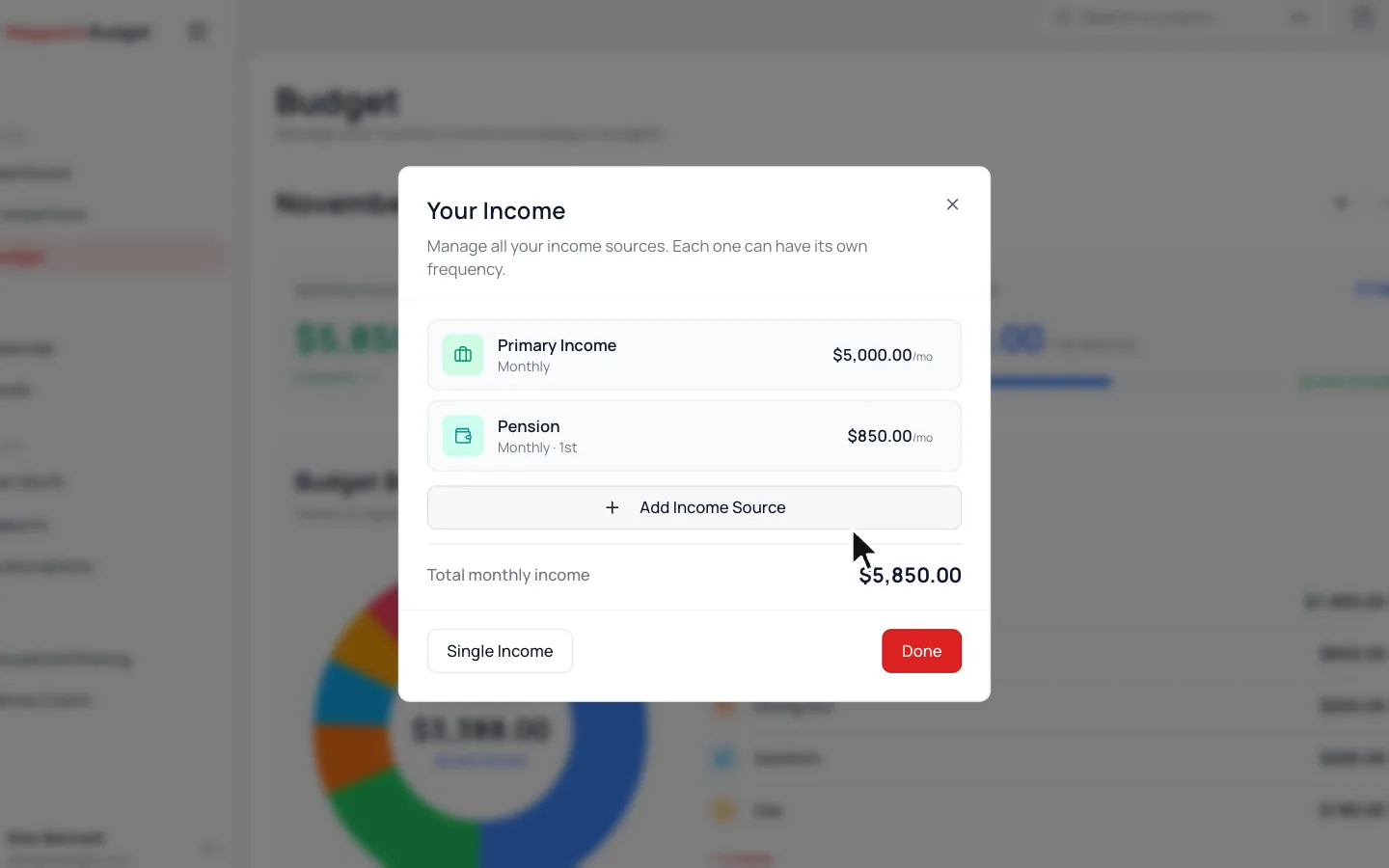
- 1.
Go to Budget and click the Monthly Income card.
- 2.
Click Multiple Sources. Your current income becomes the first source.
- 3.
Click Add Income Source.
- 4.
Pick Fixed or Variable, then fill in its name and schedule, plus the amount if it’s fixed.
- 5.
Click Add Source.
A variable source gets its own income category. Deposits in that category count toward it. Click a source later to change it.
Budgeting with a Partner
In a shared budget, each of you adds your own income from your own login. The card becomes Household Income and lists each person’s.
Common Questions
After tax. Use your take-home pay, what lands in your account.
Still stuck? Use the ? at the top of the app to ask the Waypoint Guide, or message us. A person from our team will get back to you.