Share Your Budget with a Partner
Invite a partner or family into one shared budget
One budget for both of you, each with your own login. Everyone you invite joins free on your Pro plan.
Create Your Household
- 1.
Open Household Sharing from the sidebar.
- 2.
Enter a Household Name. If you see Budget to Share, pick which budget goes in.
- 3.
Click Create Household.
- 4.
Click Add your partner or family, enter their email, then click Send Invite.
They open the link in the email and sign up or sign in. If they already have a budget, they choose to merge it in or keep it separate.
Keep Your Own Budget Too
Share a side budget or a new one, and your main budget stays private to you.
Choose What Stays Private
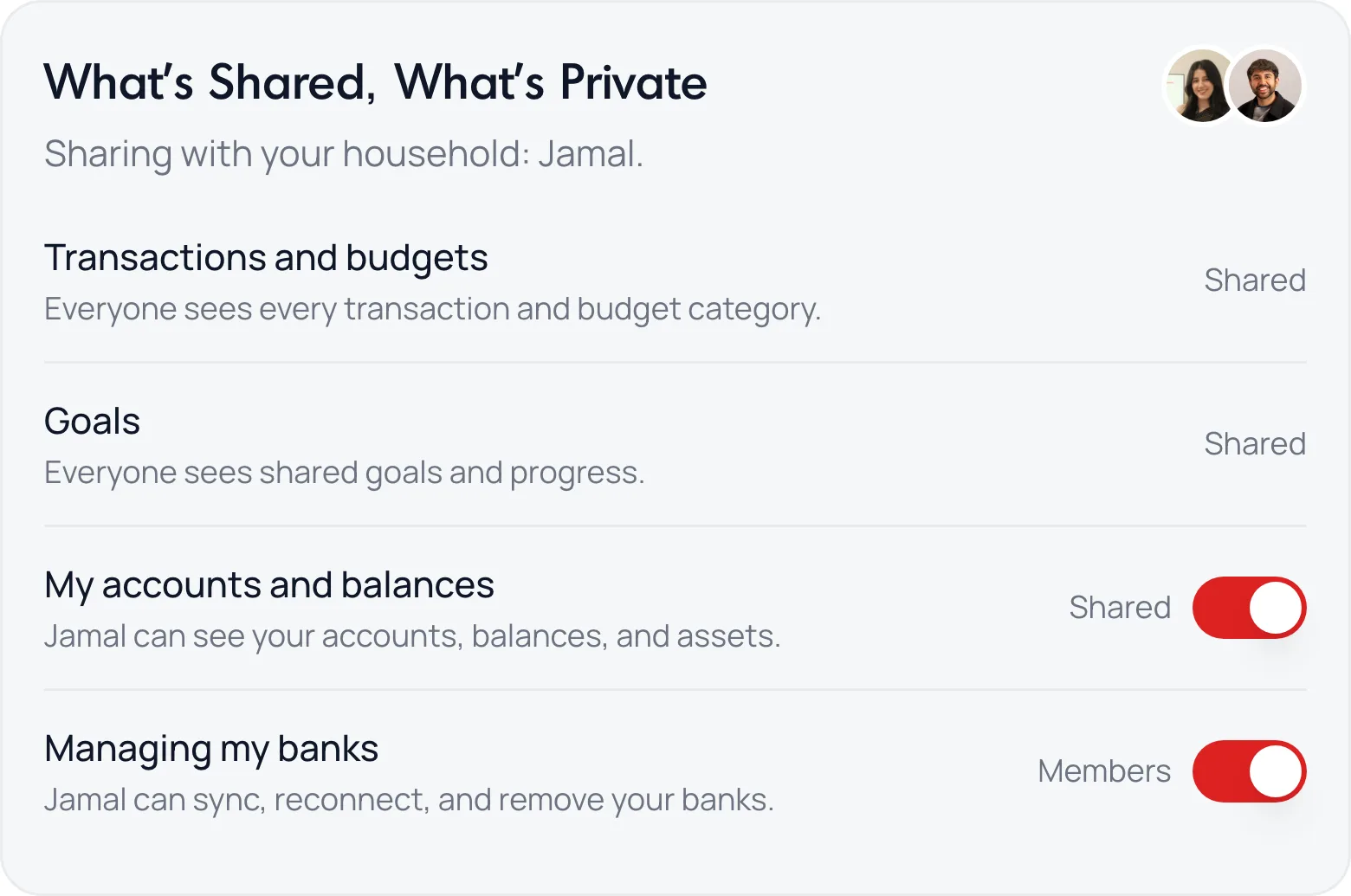
- My accounts and balances: turn it off and the others can’t see them. Your transactions still count in the shared budget.
- Managing my banks: turn it on and the others can sync, reconnect and remove your banks for you.
Common Questions
No. Anyone you invite pays nothing, up to 5 people in all.
Yes. See Split Shared Expenses with Settle Up.
Still stuck? Use the ? at the top of the app to ask the Waypoint Guide, or message us. A person from our team will get back to you.