Split Shared Expenses with Settle Up
See who owes who each month for the expenses you share
Settle Up splits your shared expenses between you each month, straight from your budget. Nobody types anything twice.
Set It Up
- 1.
Open Household Sharing from the sidebar.
- 2.
Click Settle Up.
- 3.
Choose the categories you share, then click Save.
One of You Connected Every Bank?
Settle Up then asks who each account belongs to. Set an account to Joint and it stays out of the split, since that money is already shared.
Each Month
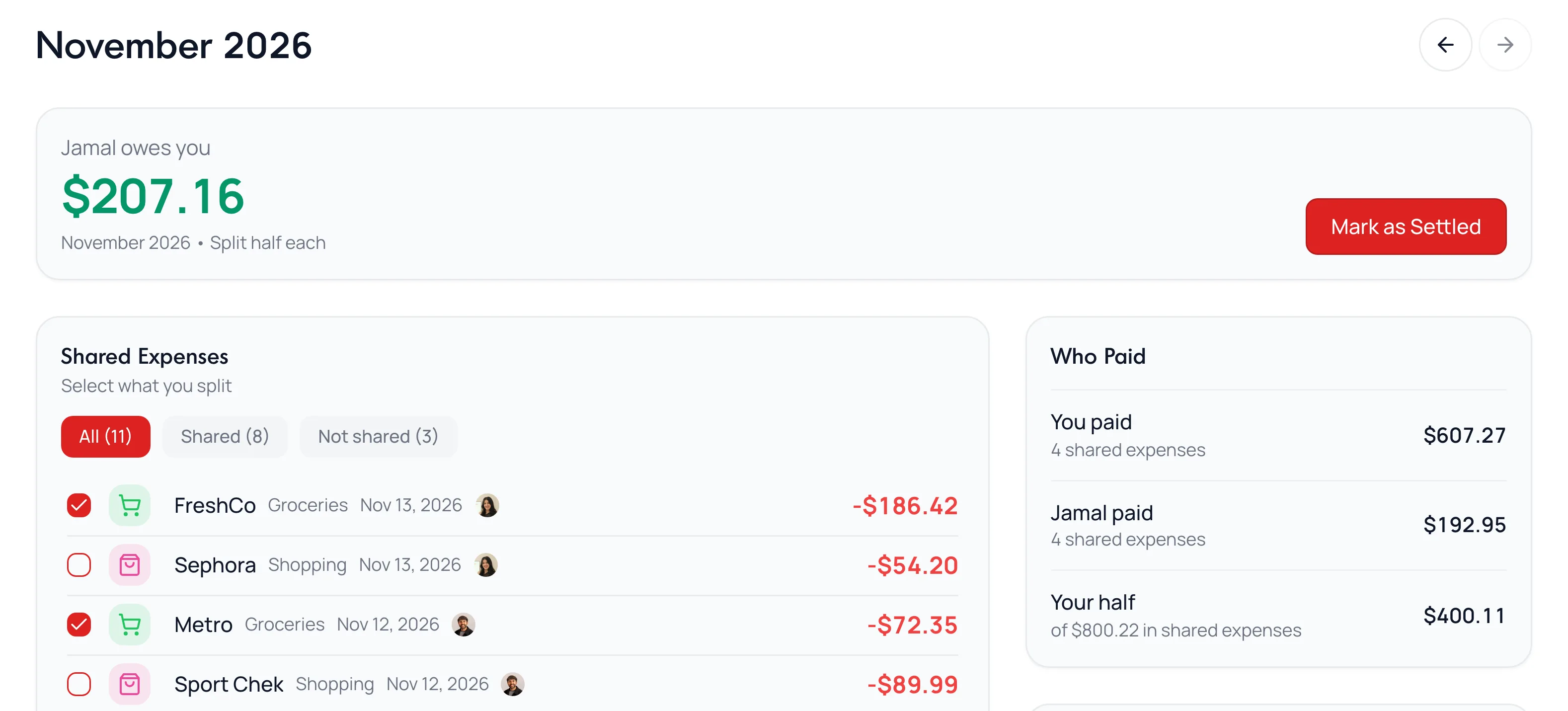
- Expenses in your shared categories are split. Select any other expense to include it, or clear one to leave it out.
- Click an expense to have one person cover all of it.
- Refunds and reimbursements lower the total. Transfers and card payments never count.
- Each month stands alone. Use the arrows by the month to look back.
Mark It Settled
Once one of you pays the other back, click Mark as Settled. It records the month and never moves money.
Common Questions
Yes. Under Settings, click How you split, then choose Your own split.
Yes, until you set them to Joint under Account owners.
Still stuck? Use the ? at the top of the app to ask the Waypoint Guide, or message us. A person from our team will get back to you.